



Think one calculator can settle your retirement plan?
Think again.
Different tools use different assumptions, like returns, inflation, and taxes, so the answers you get can be all over the place.
The right tools don’t just spit a number.
They show why it matters and which levers you can pull: save more, delay Social Security, or change your withdrawal plan.
This post walks through the calculators people actually use, compares free versus paid options, and gives simple steps to turn those projections into a clear, usable retirement plan.
Leading Digital Tools for Calculating Retirement Needs

Most retirement calculators mash together your current numbers with growth rates, inflation guesses, and tax assumptions to show what you’ll have when you stop working. You’ll type in your age, income, what you’re saving, any employer match, and your target retirement date. The calculator runs those through compounding formulas and Social Security tables to tell you if you’re on track.
Different tools spit out different answers. Some give you a simple yes or no. Others chart your savings month by month for decades, show confidence odds from Monte Carlo runs, or split out tax-deferred versus Roth balances. A lot of them include sliders so you can see what happens if inflation jumps or you work two extra years.
Here’s a quick look at the ones people actually use:
• Fidelity Retirement Score connects your employer 401(k), runs a forecast, and scores you from Nice Start to On Track
• Vanguard Retirement Nest Egg Calculator estimates how long your money lasts under different withdrawal plans
• Schwab Retirement Calculator lets you compare multiple scenarios and model big events like selling your house
• SSA.gov Retirement Estimator pulls your official earnings record and projects monthly benefits at 62, 67, and 70
• NewRetirement (Boldin) is a web planner with free and paid tiers that handles Social Security timing, pensions, and Roth conversions
• Personal Capital (Empower) Retirement Planner links all your accounts and runs Monte Carlo sims to report success odds
Comparison of Popular Retirement Planning Platforms

The field breaks into three camps. Free calculators from brokerages and government sites. Robo-advisors that pair automated investing with planning dashboards. Subscription or advisor software that digs into tax modeling and withdrawal order. All three can give you useful numbers, but they’re worlds apart in customization, simulation depth, and how often they update.
| Platform | Key Features | Cost | Ideal User |
|---|---|---|---|
| Empower | Links accounts, runs Monte Carlo, compares side by side scenarios for retirement age and Social Security | Free | Anyone who wants automatic updates and scenario testing without paying |
| Boldin (NewRetirement) | Roth conversion calc, Social Security claim strategies, Medicare modeling, manual or linked accounts | Free tier; PlannerPlus $144/year with 14 day trial | DIY crowd wanting Roth and Social Security detail without hiring help |
| ProjectionLab | Top tier charts, tax breakdown, what-if testing, Monte Carlo and historical sims, 4% and Guyton-Klinger withdrawal models | Basic free; Premium around $109 to $129/year or $799 lifetime; 7 day trial | Spreadsheet people who want granular tax and withdrawal strategy testing |
| Maxifi | Economist built consumption smoothing model; holds inflation adjusted spending across retirement; scenarios can take 10+ minutes | Not disclosed | Detail focused users comfortable with a learning curve and academic style output |
| Betterment / Wealthfront | Robo platforms with built in retirement forecasts; automated rebalancing and tax loss harvesting tied into planning dashboard | Around 0.25% AUM digital; more for advisor access | Hands off investors who want portfolio management bundled with planning estimates |
Automated tools pull account balances and refresh forecasts whenever you log in. Keeps your plan current without typing. Manual tools make you enter each balance, contribution, and income stream, but they let you model stuff like a future inheritance or a rental property sale that automated systems can’t pick up. Trade off is time versus control. Automated is faster and self updating, manual is slower but handles one off events and complex scenarios that don’t fit the template.
Step-by-Step Process for Building a Retirement Plan Using Digital Tools

Start by pulling together your current financial picture, then layer in future contributions, investment growth, inflation, and withdrawals. Most tools walk you through this with input forms that build on each other. Knowing the logic helps you spot gaps and adjust assumptions when life shifts.
-
Define your retirement age and life expectancy. Pick a target year (65 is common, but test earlier and later) and a planning age (many default to 90 or use actuarial tables showing average life expectancy around 83 for men, slightly higher for women). Tables describe groups, not you. Build in a buffer.
-
Enter current balances and account types. List 401(k), traditional IRAs, Roth IRAs, taxable brokerage, any pensions or annuities. Note which are pre-tax, Roth, or taxable because tax treatment during withdrawal changes usable income.
-
Input ongoing contributions and employer match. Include monthly or annual savings, employer match percentage and vesting schedule, catch-up contributions if you’re 50 or older (2024 401(k) catch-up is $7,500 on top of the standard limit; check current year numbers).
-
Set return and inflation assumptions. Conservative long term return estimates run 4% to 7% real (after inflation); nominal is typically 6% to 8%. Historical U.S. inflation averages around 3%, though short term forecasts bounce. Test optimistic and pessimistic scenarios to see the range.
-
Estimate annual retirement spending. Common rule is 70% to 80% of pre-retirement income, but look at your actual budget. Housing, healthcare, travel, hobbies. Decide whether those costs will rise, fall, or stay flat.
-
Model Social Security and pension income. Use SSA.gov estimator to pull your projected benefit at 62, full retirement age (typically 67 for people born after 1960), and 70. Delaying from full retirement to 70 increases the monthly check by roughly 8% per year. Enter any pension or annuity payments and when they start.
-
Run the projection and review success probability. Tools with Monte Carlo sim show the percentage of scenarios where your money lasts through your target age. Aim for 80% to 90% success if you want comfortable margin. Adjust contributions, retirement age, or spending if the probability is too low.
After you get an initial result, test what-if changes. Push retirement back two years. Increase contributions by 5%. Delay Social Security to 70. Model a major expense like a new car or home reno. The goal is seeing which levers move the needle and where you have the most control.
Free vs Paid Retirement Planning Tools

Free calculators from brokerages and government sites deliver quick, no friction estimates. They’re good for a first look or checking if you’re in the ballpark. Paid tools and advisor software add customization, tax aware modeling, and sensitivity analysis that matter more when your situation gets complex or you’re close to retirement and need precision around withdrawal order.
Free options usually use deterministic projections. One set of inputs, one answer. They might not model Roth conversions, tax bracket changes, or sequence of returns risk that hits early retirees hard if the market tanks in year one. Premium tools often include Monte Carlo engines running thousands of market scenarios and report the percentage of outcomes where your plan works. They also model tax impacts year by year, show how RMDs affect your tax bill, and let you test strategies like filling the 12% bracket with Roth conversions before Social Security kicks in.
Here’s where free and paid split most:
• Simulation depth: Free calculators show one future; paid planners run hundreds or thousands of market scenarios and display success odds.
• Tax modeling: Free tools may skip tax brackets and RMDs; paid software projects federal and state taxes annually and models Roth conversion windows.
• Withdrawal strategy testing: Free calculators often assume a fixed percentage (like 4%); premium tools let you test dynamic rules like Guyton-Klinger or variable percentage withdrawal.
• Account linking and updates: Some free tools (Empower) link accounts and refresh automatically; others need manual updates every time your balance changes.
• Support and education: Paid subscriptions often bundle planning courses, one on one Q&A, or access to certified planners; free tools are self serve with minimal guidance.
If you’re in your 20s or 30s with straightforward accounts and decades until retirement, a free calculator is usually enough to confirm you’re saving at the right rate. If you’re within ten years of stopping work, have multiple income sources (pension, rental, annuity), or want to optimize Roth conversions and Social Security timing, the subscription cost for premium software or a robo advisor’s planning dashboard pays for itself fast in tax savings and peace of mind.
Specialized Tools for Social Security, Taxes, and Withdrawals
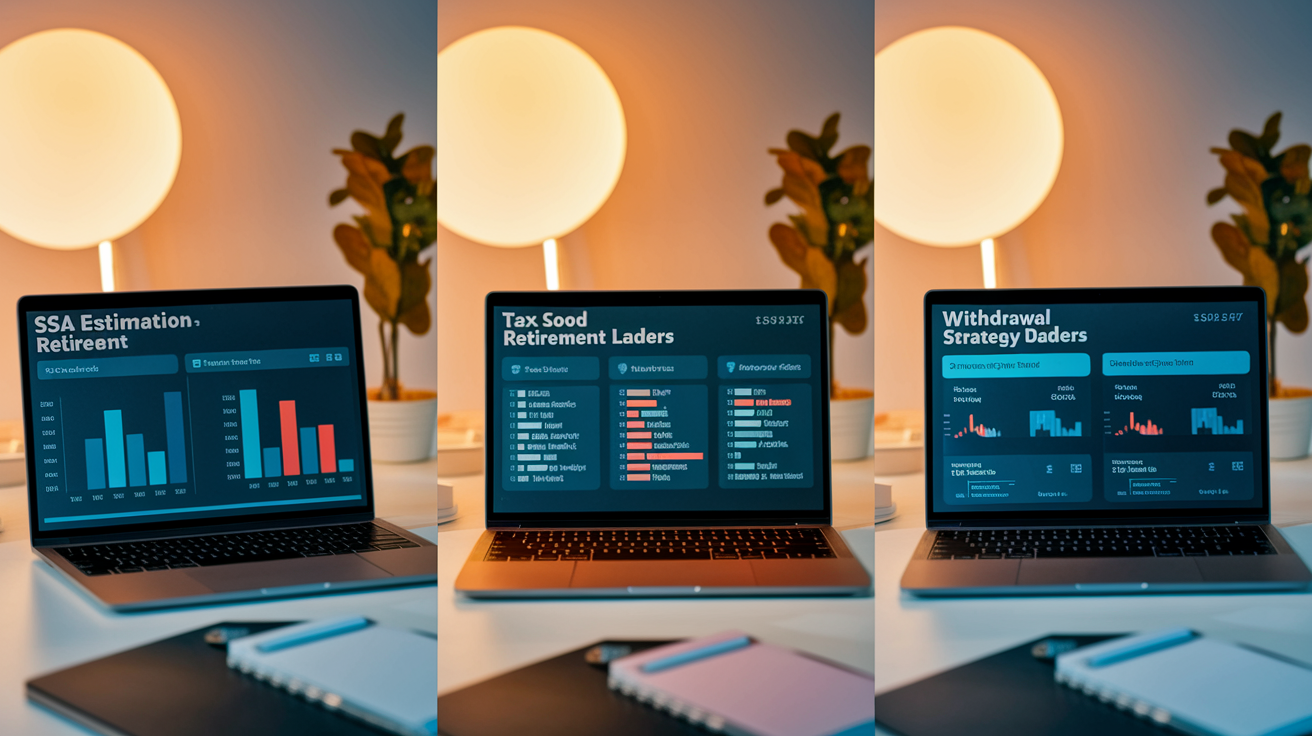
General retirement calculators estimate total savings and basic income, but they often skim past the three decisions that most directly affect your after tax cash flow. When to claim Social Security. How to manage tax brackets during drawdown. Which withdrawal strategy to follow. Specialized tools zoom in on each with dedicated logic and detailed outputs.
Social Security Estimation Tools
The official SSA.gov Retirement Estimator pulls your actual earnings record and shows projected monthly benefits at 62 (early filing with permanent cut), your full retirement age (commonly 67 if you were born in 1960 or later), and 70 (maximum delayed credits). Delaying from full retirement to 70 boosts your benefit by roughly 8% per year, compounding into a much higher monthly check for life. Break even calculators, built into platforms like Boldin and some standalone sites, show the age where total lifetime benefits from delaying beat the total from claiming early. If you expect to live past the break even point and you can cover expenses from other sources, delay usually wins. If you need the income now or have health concerns, claiming earlier makes sense. The tools let you model spousal strategies, survivor benefits, and earnings test impacts if you keep working part time before full retirement age.
Tax-Focused Retirement Tools
Retirement income flows from three tax buckets. Pre-tax accounts (traditional 401(k) and IRA, taxed as ordinary income on withdrawal). Roth accounts (tax free withdrawals after 59½). Taxable brokerage accounts (capital gains and qualified dividends, typically taxed at lower rates). Tax smart tools model year by year bracket impacts and spot windows to convert traditional IRA dollars to Roth when your income is low. Common strategies include converting in early retirement before Social Security starts or during a gap year between your last paycheck and age 70. Premium planners also project required minimum distributions (RMDs start at 73 for people born 1951 to 1959, 75 for those born 1960+) and show how large RMDs can push you into higher brackets and trigger Medicare IRMAA surcharges. Some calculators estimate state income tax alongside federal, which matters if you’re choosing between living in a zero income tax state versus a high tax one during retirement.
Withdrawal Strategy Tools
The “4% rule” is the most cited baseline. Withdraw 4% of your portfolio in year one, then adjust that dollar amount for inflation each year. Historical backtesting shows this worked through 30 year retirements in most market conditions, implying you need 25 times your annual spending saved (100 ÷ 4 = 25). Modern withdrawal calculators let you test alternatives like Guyton-Klinger, which cuts spending during down markets and raises it during strong years, or variable percentage withdrawal, which recalculates the percentage each year based on remaining balance and life expectancy. These dynamic strategies reduce the risk of running out early while letting spending rise when markets cooperate. The tools also model sequence of returns risk, the danger that a market crash in the first few years forces you to sell at low prices and locks in permanent damage. Running Monte Carlo sims across different withdrawal rules and market sequences shows which approach gives you the highest success odds given your risk tolerance and spending flexibility.
Use Social Security estimators when you’re within five years of retirement or thinking about early claiming. Turn to tax tools when you have a mix of account types and want to cut lifetime taxes. Lean on withdrawal strategy calculators once you’re retired or within a year and need to decide how much to pull each year without second guessing every market dip.
Final Words
You ran numbers with multiple retirement calculators, compared platforms, followed the seven-step planning workflow, weighed free vs paid options, and checked specialized Social Security, tax, and withdrawal tools. That gave you a clearer picture of what to enter, which assumptions to test, and how outputs can differ.
Now pick a tool that fits your comfort level, update your inputs after major life changes, and revisit estimates at least once a year. With the right retirement planning tools and a few small habit changes, you can feel more confident about your future.
FAQ
Q: What is the $1000 a month rule for retirees?
A: The $1,000 a month rule for retirees is a simple rule of thumb treating each $1,000 of desired monthly retirement income as a planning unit; you estimate needed savings by applying a withdrawal rate (for example, 4%) to that amount.
Q: What is a good retirement planning tool?
A: A good retirement planning tool is one that projects future savings with compound interest, includes Social Security and inflation adjustments, lets you test scenarios, and keeps inputs clear so you can see how choices change outcomes.
Q: What is the 30 30 30 10 rule for retirement?
A: The 30/30/30/10 rule for retirement is a simple allocation idea that splits savings into three 30% buckets and a 10% reserve to balance growth, income, and liquidity—confirm exact asset choices fit your risk needs.
Q: What are the 5 P’s of retirement?
A: The 5 P’s of retirement are often listed as plan, purpose, people, place, and pension/portfolio — covering the timeline and money, why you retire, relationships, where you live, and your income sources.