


Tired of finance apps that promise to fix your budget and then leave you guessing?
We tested the most talked-about tools and looked at what actually matters: bank syncing, budgeting depth, investment tracking, crypto tax help, mobile apps, and honest pricing.
This guide compares the top eight: Monarch, Empower, YNAB, Lunch Money, Quicken, Credit Karma, CoinTracker, and Koinly, and tells you which one will actually do the job based on how you manage money.
No fluff, just practical matches for real needs.
Top-Rated Options That Deliver the Best Personal Finance Software Experience

Eight tools get mentioned when people search for solid personal finance software: Monarch, Empower, YNAB, Lunch Money, Quicken, Credit Karma, CoinTracker, and Koinly. Each one’s built differently, depending on what you’re trying to do—whether that’s strict budgeting, tracking investments over decades, or filing crypto taxes.
We looked at price, how well banks sync, budgeting depth, auto-categorization, investment monitoring, crypto tracking, mobile quality, and trial periods. These tools made the cut based on real-world reliability in expense tracking, reporting options, and honest pricing.
The table below lets you scan across software and down columns to find what matters most for your money.
| Software | Best For | Price | Syncing | Investment Tools | Mobile Apps | Notable Pros |
|---|---|---|---|---|---|---|
| Monarch | General all-around tracking | $99.99/yr or $14.99/mo | Excellent with auto-categorization rules | Basic dashboard views | iOS, Android | Modern UI, frequent updates, strong dashboards |
| Empower | Investment and portfolio analysis | Free | Strong for investment accounts | Retirement fee analyzer, allocation views | iOS, Android | Free investment analytics, checkup tools |
| YNAB | Strict zero-based budgeting | ~$100/yr; 34-day trial | Good with most banks | None | iOS, Android | High accountability, claims $600 savings in 2 months |
| Lunch Money | Privacy-focused manual review | $10/mo or $100/yr | Manual approval workflow | None | iOS, Android | Multi-currency, no data selling, clean workflow |
| Quicken | Desktop power users, small business | $35.99–$103.99/yr | Strong with secure backup | Investment and 401(k) tracking | iOS, Android (lite) | Deep reporting, rental property support |
| Credit Karma | Free credit score monitoring | Free (ad-supported) | Basic | None | iOS, Android | Free credit alerts and product recommendations |
| CoinTracker | Crypto transaction aggregation | Free tracking; paid tax reports | Exchanges and wallets | Portfolio tracking | iOS, Android | Consolidated crypto history and tax tools |
| Koinly | Crypto tax reporting | Free tracking; annual fee for reports | Exchanges and wallets | Portfolio tracking | iOS, Android | Annual tax report option, portfolio overview |
Match what you need to the right tool:
Beginners wanting a modern, clean interface → Monarch
Investors who want free portfolio analytics and fee breakdowns → Empower
People who need daily budgeting discipline → YNAB
International users needing multi-currency and privacy → Lunch Money
Desktop users or small business owners tracking rental property → Quicken
Crypto holders needing tax reports and wallet aggregation → CoinTracker or Koinly
Key Features That Define the Best Personal Finance Software Tools

Most tools start with budgeting logic, bank syncing, and dashboards. Auto-categorization cuts down manual entry. Recurring transaction flags catch subscriptions and fixed bills. Mobile widgets let you log expenses fast without opening the full app.
Advanced features separate general money tools from specialized platforms. Multi-currency support matters if you’re holding accounts in different countries. BankTree and Lunch Money handle this well. Long-term forecasting, up to 60 years in Pocketsmith, helps with retirement planning or major life changes. Rental property and small business modules in Quicken’s higher tiers combine personal budgets with income tracking.
Five features that matter most:
Budgeting method (zero-based, envelope, automated, or manual review)
Bank connection count and sync reliability (how many institutions, update speed)
Investment and retirement tools (portfolio views, allocation, fee analysis)
Customizable dashboards (ability to tailor views, export for taxes)
Mobile quality and offline access (iOS/Android parity, widgets, biometric login)
Deep-Dive Reviews of Leading Personal Finance Software Providers

This section adds detail beyond surface features, focusing on strengths, limitations, trial windows, and platform advantages that affect long-term satisfaction.
| Software | Price | Best For | Trial Length | Platforms |
|---|---|---|---|---|
| Monarch | $99.99/yr or $14.99/mo | General tracking with modern UI | Check vendor site | Web, iOS, Android |
| Empower | Free | Investment analytics | N/A (free) | Web, iOS, Android |
| YNAB | ~$100/yr | Zero-based budgeting | 34 days | Web, iOS, Android |
| Lunch Money | $10/mo or $100/yr | Privacy, manual review | Check vendor site | Web, iOS, Android |
| Quicken | $35.99–$103.99/yr | Desktop, small business | 30 days | Windows, macOS, iOS, Android (lite) |
| Credit Karma | Free (ad-supported) | Credit monitoring | N/A (free) | Web, iOS, Android |
| CoinTracker | Free tracking; paid tax reports | Crypto aggregation | Free tier available | Web, iOS, Android |
| Koinly | Free tracking; annual fee for reports | Crypto tax reporting | Free tier available | Web, iOS, Android |
Monarch Money
Monarch tracks budget versus actual, flags recurring transactions, and builds goal modules in a clean interface that gets updated often. Auto-categorization learns from your edits, and one-off flags keep unusual purchases from messing up monthly averages. The subscription ($99.99 yearly or $14.99 monthly, sometimes discounted the first year) means no ads and keeps the company focused on adding features instead of selling your data. Works well as a Mint replacement if you want cross-device syncing and solid dashboards without deep investment analytics.
Empower
Empower gives you free investment aggregation, retirement checkups, and a fee analyzer that spots high-cost fund expense ratios. It pulls balances, performance, and asset allocation from brokerage, 401(k), and IRA accounts. Perfect for portfolio-focused users who don’t need strict daily budgeting. The company offers paid investment advisory separately, but tracking and analytics stay free with no subscription. Budgeting tools exist but they’re not the main event.
YNAB
YNAB makes you give every dollar a job before the month starts, then encourages daily check-ins to move funds as spending happens. The vendor says new users save $600 in the first two months and $6,000 in year one. The 34-day free trial gives you time to test the shift, and college students get a free year with proof of enrollment. YNAB’s strength is accountability and habit formation, not passive automation or investment tracking.
Lunch Money
Lunch Money cares about privacy and makes you approve imported transactions before they hit budgets. It supports banking, credit, loans, and crypto accounts, handles multiple currencies with daily exchange updates, and doesn’t sell your data or show ads. Built by a small team in Canada, it appeals to international users and anyone who wants tight control over categorization. The $10 monthly or $100 annual price reflects the privacy model and ongoing maintenance.
Quicken
Quicken’s desktop-first design and tiered pricing ($35.99 to $103.99 yearly) serve power users wanting deep reporting, investment tracking, and rental-property accounting in one spot. The Home & Business edition runs only on Windows and adds business income and expense tracking alongside personal budgets. Quicken offers a 30-day money-back guarantee and optional web/mobile apps, though desktop stays the most complete. Launched in 1983, it still has a loyal base among people who prefer local data storage and offline access.
Credit Karma
Credit Karma focuses on credit score monitoring and product recommendations, not full budgeting. It’s free because it earns revenue from credit card, loan, and insurance offers shown based on your credit profile. If you already get free credit scores through a bank or card, Credit Karma adds little. For users without another free source, it provides basic credit alerts and educational content.
CoinTracker
CoinTracker aggregates crypto transactions across exchanges and wallets, tracks portfolio performance, and generates tax reports for capital gains and losses. Free transaction aggregation, paid subscriptions for detailed analysis and downloadable tax forms. Annual fees for tax reports let you pay once instead of ongoing monthly subscriptions. Suits crypto holders needing consolidated transaction history across multiple platforms and automated cost-basis calculation for IRS reporting.
Koinly
Koinly follows the same model: free portfolio tracking with an annual fee for tax reports. Supports a wide range of exchanges and wallets and automates tax-loss harvesting and realized-gain calculations. Users who trade often or hold crypto across multiple wallets benefit from Koinly’s aggregation and reporting accuracy. Annual payment avoids surprise subscription renewals and lines up with tax season.
Budgeting Methods and How Different Software Executes Them

Zero-based budgeting requires every dollar of income to get assigned to a category (spending, saving, or debt) before the month starts. YNAB and EveryDollar do strict ZBB, pushing you to allocate funds ahead of time instead of tracking spending after. Envelope budgeting, used by Goodbudget, divides cash or balances into virtual “envelopes” for groceries, rent, entertainment, and other categories. Once an envelope’s empty, spending in that category stops until next month.
Automated budgets, used by Monarch and Quicken Simplifi, analyze past spending and suggest category limits, then track actual spending against those limits with minimal daily input. Manual review workflows, like Lunch Money’s, make you approve each imported transaction and assign categories individually. You trade convenience for control. Projection-based tools like Pocketsmith focus less on strict monthly budgets and more on forecasting future balances based on scheduled bills and income.
| Method | Description | Best Tools |
|---|---|---|
| Zero-Based Budgeting | Assign every dollar before the month; high accountability | YNAB, EveryDollar |
| Envelope Budgeting | Allocate funds to virtual envelopes; stop when empty | Goodbudget |
| Automated Budgets | Suggest limits from historical data; passive tracking | Monarch, Quicken Simplifi |
| Manual Review | Approve each transaction; tight control | Lunch Money |
Match your style to the right tool:
Users needing structure and daily accountability → Zero-based (YNAB, EveryDollar)
Families teaching kids or couples sharing funds → Envelope (Goodbudget)
People wanting automation with minimal input → Automated (Monarch, Simplifi)
Privacy-conscious users preferring manual control → Manual review (Lunch Money)
Bank Syncing, Categorization Accuracy, and Real-Time Updates

Bank sync reliability depends on the aggregation service (Plaid, Yodlee, MX, or direct partnerships), how many institutions are supported, and how often the tool refreshes balances and transactions. Pocketsmith connects to over 12,000 financial institutions globally. Buxfer uses encrypted syncing and gets external security audits to protect login credentials during automated connections.
Moneydance offers strong desktop reporting but lacks automated UK bank protocols, forcing UK users to download transaction files manually and import them. HomeBank and AceMoney Lite skip automatic syncing entirely, relying on manual CSV or OFX imports from bank websites. Monarch and Lunch Money both support rules-based categorization and manual approval queues, letting you review and correct auto-categorized transactions before they hit budgets.
Five factors affecting sync stability and categorization accuracy:
Aggregation provider – Plaid and Yodlee differ in coverage and update speed.
Multi-factor authentication handling – Some tools struggle with banks requiring SMS or app codes on every login.
Historical transaction depth – Most tools import 90 days; some offer longer windows.
Categorization-rule flexibility – Advanced tools let you create “if/then” rules based on merchant name, amount range, or memo text.
Manual override and review workflows – Tools that queue transactions for approval reduce surprise errors.
Monarch handles auto-categorization well with editable rules and flags for unrecognized or one-off transactions. Lunch Money requires manual approval, trading speed for control and reducing errors in multi-currency or complex transaction sets. Quicken and Moneydance allow detailed reconciliation workflows familiar to traditional checkbook users. Free tools like HomeBank and AceMoney Lite accept manual imports but skip real-time syncing, suiting users who prefer offline control or can’t connect accounts due to regional limits.
Investment, Crypto, and Long-Term Financial Tracking Features

Investment portfolio monitoring ranges from basic balance displays to detailed asset-allocation charts, performance graphs, fee analysis, and tax-loss harvesting identification. Empower leads in free investment analytics, offering a retirement fee analyzer that scans 401(k) and IRA holdings for high expense ratios and suggests cheaper alternatives. Quicken tracks investments and 401(k) balances alongside checking and savings, providing unified net-worth views and capital-gains reports for tax prep.
Pocketsmith delivers 60-year cash-flow projections, modeling future balances based on recurring income, scheduled bills, and planned life events like home purchases or retirement. Appeals to users planning multi-decade transitions who need scenario modeling instead of strict monthly budgets. CoinTracker and Koinly aggregate crypto transactions across exchanges and wallets, calculate cost basis using FIFO, LIFO, or specific-identification methods, and generate IRS-ready tax reports for realized gains and losses.
Lunch Money supports crypto aggregation and multi-currency balances without forcing conversion to a single base currency, preserving original transaction amounts for accurate reporting. Moneydance provides strong investment reporting and registers but stops short of Empower’s retirement analytics.
Six tools for different advanced needs:
Retirement fee optimization and portfolio checkups → Empower (free)
Unified investment and bank tracking with deep reporting → Quicken
Long-term cash-flow forecasting and scenario modeling → Pocketsmith
Crypto tax reporting and wallet aggregation → CoinTracker, Koinly
Multi-currency crypto tracking without base-currency conversion → Lunch Money
Investment register and performance tracking on desktop → Moneydance
Pricing Models: Subscriptions, One-Time Licenses, Free Plans
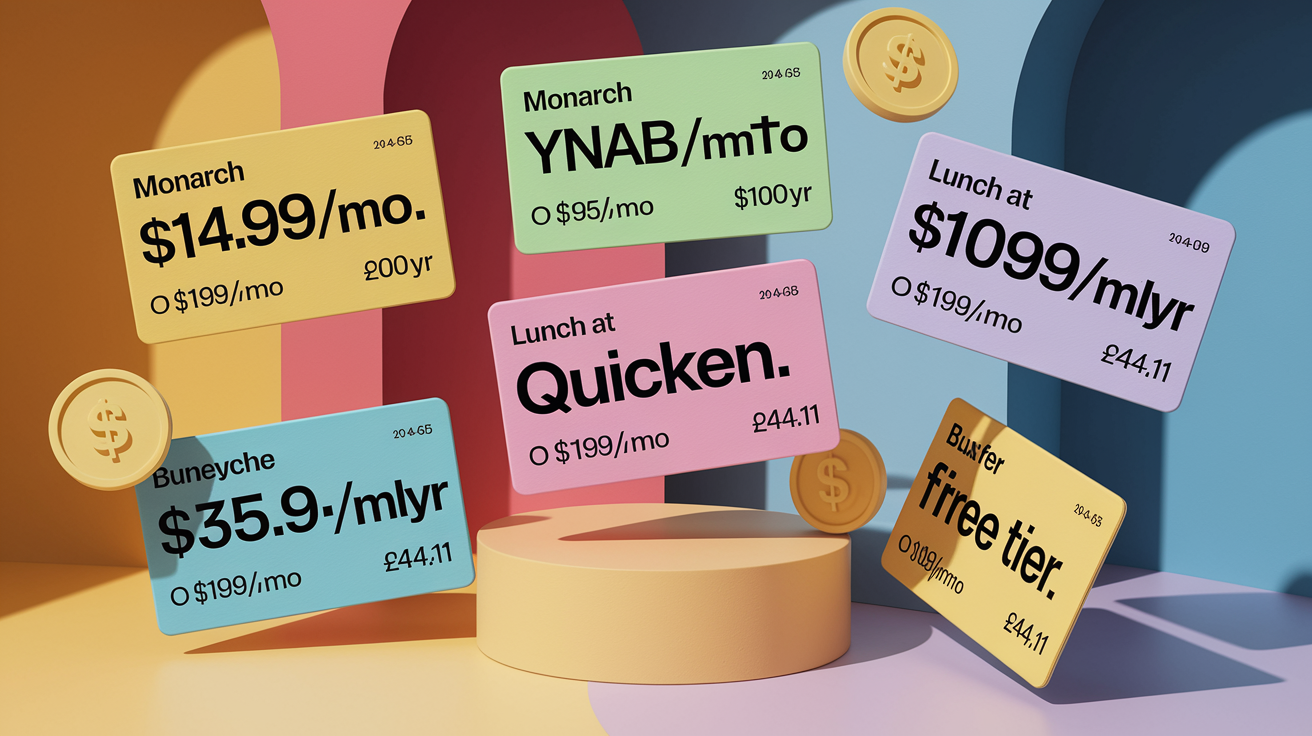
Subscription models dominate modern finance software, with monthly and annual billing that provide ongoing updates, support, and cloud syncing. Monarch charges $14.99 monthly or $99.99 annually (works out to $8.33 per month). YNAB runs around $15 monthly or $100 annually and offers a 34-day free trial plus a free year for college students. Lunch Money costs $10 monthly or $100 yearly, with a privacy model that skips ads and data selling.
Quicken uses tiered annual subscriptions from $35.99 (Starter) to $103.99 (Home & Business), with promos often available. One-time licenses are rare but exist: Moneydance charges £44.41 for a household license covering multiple desktops, with a 90-day money-back guarantee. BankTree Desktop costs £35 for one year of updates and support on a single PC, plus £5 per additional installation.
Free plans usually limit features or make money through ads and product recommendations. Buxfer offers a free tier capped at 5 budgets, 5 accounts, and 5 bill reminders; paid tiers unlock bank syncing, unlimited budgets, and advanced forecasting. Credit Karma provides free credit monitoring but shows targeted credit card and loan offers. Empower offers free investment tracking and analytics, with optional paid advisory services sold separately.
| Software | Pricing Model | Cost | Notable Limitations |
|---|---|---|---|
| Monarch | Annual or monthly subscription | $99.99/yr or $14.99/mo | No free tier beyond trial |
| YNAB | Annual or monthly subscription | ~$100/yr or ~$15/mo | 34-day trial; free year for students |
| Lunch Money | Annual or monthly subscription | $100/yr or $10/mo | Subscription required; no free tier |
| Quicken | Annual subscription (tiered) | $35.99–$103.99/yr | Home & Business Windows-only |
| Moneydance | One-time license | £44.41 | 90-day guarantee; limited UK bank sync |
| Buxfer | Free tier + paid subscriptions | Free (limits) or paid tiers | Free: 5 budgets, 5 accounts, 5 reminders |
Best Personal Finance Software by User Type

Beginners do best with tools that automate syncing, categorization, and reporting without requiring deep financial knowledge or daily effort. Monarch delivers a modern, guided experience with dashboards showing where money goes each month, recurring transaction recognition that flags subscriptions, and goal modules tracking savings progress. The interface skips jargon and presents budgets visually, making it easy to spot overspending in a specific category. Empower works well for beginners focused on long-term investing instead of strict budgeting, offering free portfolio views and retirement checkups that explain asset allocation plainly.
Strict budgeters and users seeking behavior change thrive with YNAB’s zero-based method, which assigns every dollar a job before the month starts and encourages daily check-ins to reallocate funds as priorities shift. The 34-day trial and free student year lower the barrier, and the vendor’s claim that new users save $600 in the first two months reflects the accountability focus. EveryDollar offers a similar zero-based workflow tied to Dave Ramsey’s philosophy, appealing to users wanting prescriptive guidance and community support.
Investors seeking portfolio analytics prefer Empower’s free investment aggregation, which pulls balances and performance from brokerage, 401(k), and IRA accounts and highlights high-fee funds eating returns. The retirement fee analyzer and investment checkup tools provide action steps without requiring a paid subscription. Quicken’s Premier and higher tiers combine investment tracking with full budgeting and bill management, suiting users wanting a single platform for net-worth monitoring and tax reporting.
Desktop users and small business owners rely on Quicken’s local apps (Windows and macOS), which offer deeper reporting, rental-property tracking, and business-income modules in the Home & Business edition. Optional web and mobile sync allows on-the-go access without losing the rich desktop interface, and the 30-day money-back guarantee provides a risk-free trial. Moneydance appeals to macOS power users who prefer a one-time license and offline data storage, though UK users must import bank statements manually.
International and multi-currency users face challenges when software converts all balances to a single base currency, rounding away original transaction amounts. Lunch Money preserves multiple currencies and updates exchange rates daily, allowing accurate tracking of accounts in different countries without forced conversion. Pocketsmith connects to over 12,000 global institutions and supports multi-currency budgets with long-term forecasting, while BankTree handles multi-currency transactions and receipt scanning for £35 yearly.
Crypto holders need tools that aggregate wallets and exchanges, calculate cost basis across chains and tokens, and generate tax reports for realized gains. CoinTracker and Koinly both offer free portfolio tracking with paid tiers for tax reporting; annual tax-report fees line up costs with tax season instead of ongoing subscriptions. Lunch Money adds crypto account support to its multi-currency budget tracking, suiting users holding both traditional and digital assets.
Match your profile to the right tool:
Beginners wanting automated syncing and visual dashboards → Monarch or Empower (free for investment focus)
Strict budgeters needing daily accountability and behavior change → YNAB or EveryDollar
Investors seeking free portfolio analytics and fee identification → Empower
Desktop users or small business owners tracking rental property → Quicken
International or multi-currency users who value privacy and manual control → Lunch Money or Pocketsmith
Crypto holders needing tax reports and wallet aggregation → CoinTracker or Koinly
Security, Privacy, and Data Handling in Personal Finance Software

Data security and encryption protect login credentials and financial data during transmission and storage. Most cloud tools use 256-bit AES encryption for data at rest and TLS for data in transit, matching bank-level standards. Lunch Money states clearly it doesn’t sell user data or show ads, and Buxfer gets external security audits and uses encrypted bank connections. Quicken promotes secure online backup for desktop users who enable cloud sync, while tools like HomeBank and Moneydance keep all data local, skipping cloud-storage risks entirely.
Two-factor authentication options vary: some tools support SMS codes, authenticator apps (Google Authenticator, Authy), or biometric login (fingerprint, Face ID) on mobile. Free services like Credit Karma make money through targeted product recommendations, which require sharing anonymized financial profiles with advertisers. Empower offers free tracking but upsells paid advisory services, creating a dual-revenue model that keeps core analytics free while generating income from managed portfolios.
Privacy policy transparency matters when choosing between free and paid tools. Paid subscriptions (Monarch, YNAB, Lunch Money, Quicken) align incentives around feature development and customer retention instead of data selling. Free tools that don’t show ads (Empower) typically earn revenue through optional paid services or partnerships, while ad-supported platforms (Credit Karma) fund operations by showing financial-product offers matched to user credit profiles.
Four security features to verify before committing:
Encryption standards – Confirm 256-bit AES for storage and TLS 1.2 or higher for transmission.
Two-factor authentication – Prefer tools supporting authenticator apps or biometric login over SMS-only.
Data-monetization policies – Read privacy policies to understand if the vendor sells anonymized data or shows targeted ads.
Local vs. cloud storage – Decide if you prefer cloud convenience or offline control, and choose tools matching your risk tolerance.
Migration Tools, Import Options, and Setup Considerations

Moving to new finance software requires exporting historical data from your current tool, importing it into the new platform, and reconciling categories and balances for accuracy. HomeBank and GnuCash support QIF (Quicken Interchange Format) and OFX (Open Financial Exchange) imports, which most tools export. BankTree includes receipt scanning via mobile app, letting you capture paper receipts and attach them to transactions during migration. Moneydance handles manual bank-statement imports well, making it suitable for users in regions where automatic syncing isn’t available.
Tiller feeds transactions from over 21,000 banks directly into Google Sheets or Microsoft Excel, preserving full control over categorization rules and formulas while automating data collection. This hybrid approach appeals to spreadsheet power users wanting automation without losing flexibility. Switching tools mid-year complicates tax reporting, so plan migrations during January or after filing to avoid gaps in year-to-date totals.
Common migration issues include duplicate transactions (when overlapping date ranges get imported from both old and new tools), mismatched categories (when the new tool uses different names for spending groups), and broken recurring-transaction recognition (when subscription patterns must be retrained). Free trials and money-back guarantees (YNAB’s 34 days, Quicken’s 30 days, Moneydance’s 90 days) give you time to test migration workflows and verify categorization accuracy before canceling the old subscription.
Five-step migration workflow:
Export historical data from your current tool in QIF, OFX, or CSV format, covering at least one full year for accurate comparisons.
Sign up for a free trial or money-back guarantee on the new platform to test import reliability and categorization accuracy without financial commitment.
Import the exported file into the new tool, then manually reconcile the first month’s transactions to identify category mismatches and duplicate entries.
Set up bank syncing and automatic categorization rules in the new tool, using the first 30 days to train the system and correct errors.
Run parallel systems for one billing cycle, comparing balances and category totals between old and new tools before fully committing.
Comprehensive Comparison Table of the Best Personal Finance Software Options
The table below consolidates pricing, platform support, budgeting methods, investment tools, crypto support, trial lengths, and key pros and cons across ten leading options.
| Software | Best For | Price | Platforms | Bank Sync | Budgeting Type | Investment Tools | Crypto Support | Trial Length | Notable Pros | Notable Cons |
|---|---|---|---|---|---|---|---|---|---|---|
| Monarch | General all-around tracking | $99.99/yr or $14.99/mo | Web, iOS, Android | Excellent with auto-rules | Automated budgets | Basic dashboards | No | Check vendor | Modern UI, frequent updates, strong dashboards | Subscription required; no free tier |
| Empower | Investment analytics | Free | Web, iOS, Android | Strong for investments | Passive tracking | Retirement fee analyzer, allocation | No | N/A (free) | Free investment analytics, checkup tools | Less focus on strict budgeting |
| YNAB | Strict zero-based budgeting | ~$100/yr or ~$15/mo | Web, iOS, Android | Good with most banks | Zero-based | None | No | 34 days | High accountability, claims $600 savings in 2 months | Requires frequent engagement; steeper time commitment |
| Lunch Money | Privacy, manual review | $10/mo or $100/yr | Web, iOS, Android | Manual approval workflow | Manual review | None | Yes | Check vendor | Multi-currency, no data selling, clean workflow | Subscription required; smaller team |
| Quicken | Desktop, small business | $35.99–$103.99/yr | Windows, macOS, iOS, Android (lite) | Strong with secure backup | Automated, manual reconciliation | Investment and 401(k) tracking | No | 30 days | Deep reporting, rental property support, offline access | Home & Business Windows-only; desktop-first design |
| Credit Karma | Free credit monitoring | Free (ad-supported) | Web, iOS, Android | Basic | Passive tracking | None | No | N/A (free) | Free credit alerts, product recommendations | Limited budgeting; ad-supported model |
| CoinTracker | Crypto aggregation | Free tracking; paid tax reports | Web, iOS, Android | Exchanges and wallets | Passive tracking | Portfolio tracking | Yes | Free tier available | Consolidated crypto history, tax tools</td
Final WordsCompare the eight top tools, Monarch, Empower, YNAB, Lunch Money, Quicken, Credit Karma, CoinTracker, and Koinly, against the key features we covered. We walked through quick positioning, meaningful features, deep reviews, budgeting methods, syncing accuracy, investment and crypto tools, pricing, security, and migration steps. Use the tables and user-type guide to match a tool to your routine. Try free trials and confirm bank syncing and investment support. That approach makes choosing the best personal finance software straightforward, and you can switch as your needs evolve. You’re set to pick something that actually helps your money. FAQQ: What is the best software to track personal finances and is there something better than Quicken?A: The best software to track personal finances and better-than-Quicken options depend on your needs; top choices are Monarch, YNAB, Lunch Money, and Empower, each with distinct budgeting or investment strengths. Q: What is Dave Ramsey’s recommended personal finance software?A: Dave Ramsey’s recommended personal finance software is EveryDollar, part of Ramsey+. It uses zero-based budgeting to assign every dollar, offers a free basic plan and paid sync features for automatic transaction imports. Q: What is the best software to manage personal investments?A: The best software to manage personal investments depends on your portfolio; use Empower for retirement fee analysis, Quicken for detailed portfolio tracking, and CoinTracker or Koinly for crypto tracking and tax reports.  ExploreArtsOpinionLivingOthersFollow us© All Rights Reserved, 2026 Lamora.net |