



What if your budgeting app could stop the small money leaks that quietly drain hundreds every month?
Most tools handle the basics, like bank syncing, automatic transaction sorting, and category budgets, but the real difference is how hands-on you want to be and which budgeting method fits your life.
This post compares top personal budget software, explains the key features to look for, and gives simple guidance so you can pick a tool that actually helps you track spending and reach your goals.
Top Personal Budget Software Options and What They Offer

The personal budget software world spans everything from totally free apps to subscription services and one-time desktop buys. Most budgeting tools tackle the same basic jobs: tracking what comes in and goes out, syncing your bank and credit card accounts, sorting spending into categories, planning ahead. What changes is how hands-on you want to be, which budgeting style matches your life, and whether you need extras like investment tracking or shared access for your household.
Free options like Mint and Empower give you transaction tracking, bank syncing, and basic budgeting without charging anything. Subscription apps usually run $48 to $150 a year. YNAB costs around $109 annually, Simplifi about $48, Tiller $79, EveryDollar Premium $79.99, PocketGuard Plus $74.99. Desktop tools like Quicken offer tiered annual plans from roughly $35 to over $100 depending on what you need, while Moneydance sells a one-time license for about $49.99. Platform access matters too. Most apps work on iOS and Android plus offer a web dashboard, but Quicken and Moneydance stick with desktop installations.
When you’re comparing personal budgeting software, watch for these common features:
- Direct bank and credit card syncing through services like Plaid or Yodlee
- Automatic transaction imports and sorting
- Monthly spending reports and trend charts
- Bill tracking and payment reminders
- Budget rules or envelope-style systems
- Goal tracking for savings, debt payoff, or big purchases
- Net worth calculations combining what you own and owe
- CSV or spreadsheet export so you can take your data elsewhere
Key Features to Look for in Personal Budget Software Tools

The biggest feature for most people is automatic bank sync. When your budgeting app pulls transactions straight from your checking account, savings, credit cards, loans, even investment accounts, you spend way less time entering data manually. Most apps rely on third-party services like Plaid or Yodlee to create secure, read-only connections to thousands of banks. Quality of these connections varies. Some regional credit unions or smaller banks don’t sync reliably, so check if your specific bank works before you pay for anything.
Reporting and analytics separate basic tracking from real insight. You want apps that break down spending by category, show monthly trends with charts and graphs, forecast cash flow, compare spending across different periods. Investment tools like Empower add portfolio performance tracking and asset allocation views. Spreadsheet platforms like Tiller let you build totally custom reports in Google Sheets or Excel. If you want to understand why spending jumped last month or see how close you are to a savings goal, strong reporting turns transaction lists into decisions.
When you’re evaluating personal budget software, focus on these:
- Bank sync reliability and coverage – Make sure your main accounts connect without constant re-authorization or failures.
- Budgeting method fit – Pick zero-based apps (YNAB, EveryDollar) if you want to assign every dollar a job, envelope systems (GoodBudget) for strict category limits, or forecasting tools (Simplifi, PocketGuard) for automated projections.
- Mobile and web access – Check if the app gives you full features on your preferred devices, not just read-only mobile views.
- Reporting depth – Look for trend charts, category breakdowns, net worth tracking, investment performance if you manage multiple account types.
- Export and portability – Confirm CSV or spreadsheet export in case you switch apps later or need tax records.
Comparing Free and Paid Personal Budget Software

Free budget software handles core tracking and syncing without costing anything, but there are trade-offs. Mint and Empower both offer automatic bank connections, transaction sorting, spending alerts, basic goal tracking, no subscription required. The catch? Free apps usually make money through ads, selling anonymized data, or promoting financial products like credit cards and loans. You won’t get advanced automation, deep customization, or great customer support. But if your needs are simple—track spending, set a few category limits, get bill reminders—free tools work fine.
Paid tools charge subscriptions or one-time fees for more control, better automation, ongoing updates, and support that doesn’t try to sell you something. Subscription apps typically cost $48 to $150 a year. Simplifi runs about $48 annually, YNAB and Monarch sit near $99 to $109, PocketGuard Plus lands at $74.99. Desktop apps like Moneydance offer a one-time purchase around $49.99, though major upgrades might cost extra. Most paid apps give you free trials—7 days (PocketGuard, Monarch) to 34 days (YNAB)—so you can test bank connectivity, budgeting methods, reporting before you commit. If you want hands-on zero-based budgeting, household sharing, or investment analytics, the subscription often pays off in time saved and clarity gained.
| Software Type | Typical Price | Common Features |
|---|---|---|
| Free (ad-supported) | $0 | Bank sync, transaction categorization, basic budgets, bill reminders, alerts |
| Subscription (lightweight) | $48–$80/year | Advanced forecasting, custom categories, spending plans, ad-free experience, priority support |
| Subscription (full-featured) | $99–$150/year | Zero-based budgeting, household sharing, investment tracking, goal planning, automation rules, coaching resources |
| Desktop one-time purchase | ~$50 one-time | Local data storage, desktop-first interface, business/tax categories, manual account entry or limited sync |
| Spreadsheet automation | ~$79/year | Daily transaction feeds to Google Sheets or Excel, custom templates, unlimited reporting flexibility |
Budgeting Methods Supported by Modern Personal Budget Software
Zero-based budgeting makes you assign every dollar of income to a specific job before the month starts. Spending, saving, debt payoff. YNAB built its whole app around this, using four core rules: give every dollar a job, plan for irregular expenses, move money between categories when life changes, age your money so you’re spending last month’s income this month. EveryDollar follows a similar path, relaunched in 2026 with margin finders and habit-based tips. Zero-based budgeting works best if you’re hands-on, want tight control, and you’re willing to review and adjust regularly. It’s not for everyone. If you want the app to do the thinking, this feels like work.
Envelope budgeting gives each spending category a fixed amount you can’t exceed. GoodBudget is the dedicated envelope app, letting you create envelopes for groceries, gas, dining out, other variable expenses, then track what’s left as you spend. YNAB also uses envelope-style sorting under the hood, though it lets you move money between envelopes mid-month. This works great for couples or families who want clear, visual limits and shared accountability. “We’ve got $200 left in the dining envelope this month, let’s cook at home.” Skip envelope budgeting if you prefer automated forecasting or find strict category limits stressful.
Forecasting and cash-flow tools automate the planning. Simplifi and PocketGuard analyze your income, recurring bills, spending patterns to project what you’ll have left at month’s end. PocketGuard’s “Pace” feature even alerts you when you’re spending too fast in a category. Tiller takes a different route, feeding your bank transactions into Google Sheets or Excel so you can build your own forecasting formulas and custom templates. These methods suit people who want insight without constant manual updates. Perfect if your income and bills are fairly predictable and you trust the app to flag problems.
When you’re choosing the right budget method, match the tool to your situation and temperament:
- Zero-based budgeting (YNAB, EveryDollar) – Best if you’ve got irregular income, tight cash flow, or you want hands-on control and discipline.
- Envelope budgeting (GoodBudget, YNAB hybrid) – Best for couples, families, anyone who wants strict category limits and visual spending accountability.
- Forecasting and automation (Simplifi, PocketGuard) – Best if you’ve got steady income and prefer the app to predict and alert rather than require manual updates.
- Spreadsheet planning (Tiller) – Best for power users comfortable with formulas who want unlimited customization and custom reporting.
- Investment tracking (Empower, Quicken) – Best if you’re managing multiple brokerage accounts, 401(k)s, IRAs, and complex net worth calculations alongside basic budgeting.
Security and Privacy Standards in Personal Budget Software

When you connect your bank accounts to budgeting software, you’re trusting the app with read-only access to sensitive transaction data, account balances, sometimes investment holdings. Most reputable apps use bank-grade 256-bit AES encryption to protect data in transit (when it moves between your bank and the app’s servers) and at rest (when stored in the app’s database). Third-party services like Plaid and Yodlee act as secure go-betweens, using tokenized, read-only connections so the budgeting app never sees your actual login credentials and can’t start transfers or withdrawals. Multi-factor authentication (MFA) adds another layer. Requires a code from your phone or email before anyone can access your budget, even if they’ve got your password.
Free apps that make money through ads or financial-product promotions might share anonymized spending trends with advertisers or partners. Paid apps generally avoid this, keeping your data internal and funding operations through subscription fees. Before linking accounts, check the app’s privacy policy to see if transaction data gets sold or shared, and look for clear explanations of how third-party services are used. Manual-entry apps like the free tier of GoodBudget or YNAB’s optional manual mode eliminate bank-sync privacy concerns entirely, though you lose automatic updates.
Common security protections to expect:
- 256-bit encryption in transit and at rest – Look for explicit statements about AES or TLS encryption standards in the app’s security docs.
- Read-only bank access via aggregators – Confirm the app uses Plaid, Yodlee, or similar services that tokenize credentials and prevent fund transfers.
- Multi-factor authentication (MFA) – Enable two-factor codes via SMS, email, or authenticator apps to protect your budget login.
- Transparent privacy policies – Read whether anonymized data gets sold to advertisers or shared with third parties, and choose paid apps if you want to avoid ad-based monetization.
Platform Compatibility: Mobile, Desktop, and Web-Based Budgeting Software

Most modern budgeting apps are built mobile-first. Full iOS and Android apps plus a web dashboard you can access from any browser. Mint, YNAB, Simplifi, PocketGuard, EveryDollar, and Empower all follow this pattern. Enter transactions, check balances, adjust budgets, review reports on your phone during lunch, then pull up detailed charts on your laptop at home. Mobile app budgeting fits how most people actually manage money: quick checks throughout the day, notifications when bills are due, instant updates when a paycheck hits. Web dashboards add bigger screens for deeper dives into reports, goal tracking, multi-month comparisons.
Desktop budgeting software like Quicken and Moneydance runs as installed applications on Windows, macOS, or Linux. Stores data locally on your computer instead of in the cloud. This appeals to people who want full control over their financial data, prefer not to sync accounts online, or need advanced bookkeeping features for small-business tracking and tax prep. Tiller bridges the gap by feeding bank transactions into Google Sheets or Excel, giving you desktop-level customization with cloud-based sync. If you travel frequently or share budgets with a partner, cloud-synced mobile and web apps offer more flexibility. If you prioritize local data storage and don’t mind manual updates, desktop-only tools still deliver.
Reporting, Analytics, and Visualization Tools in Personal Budget Software
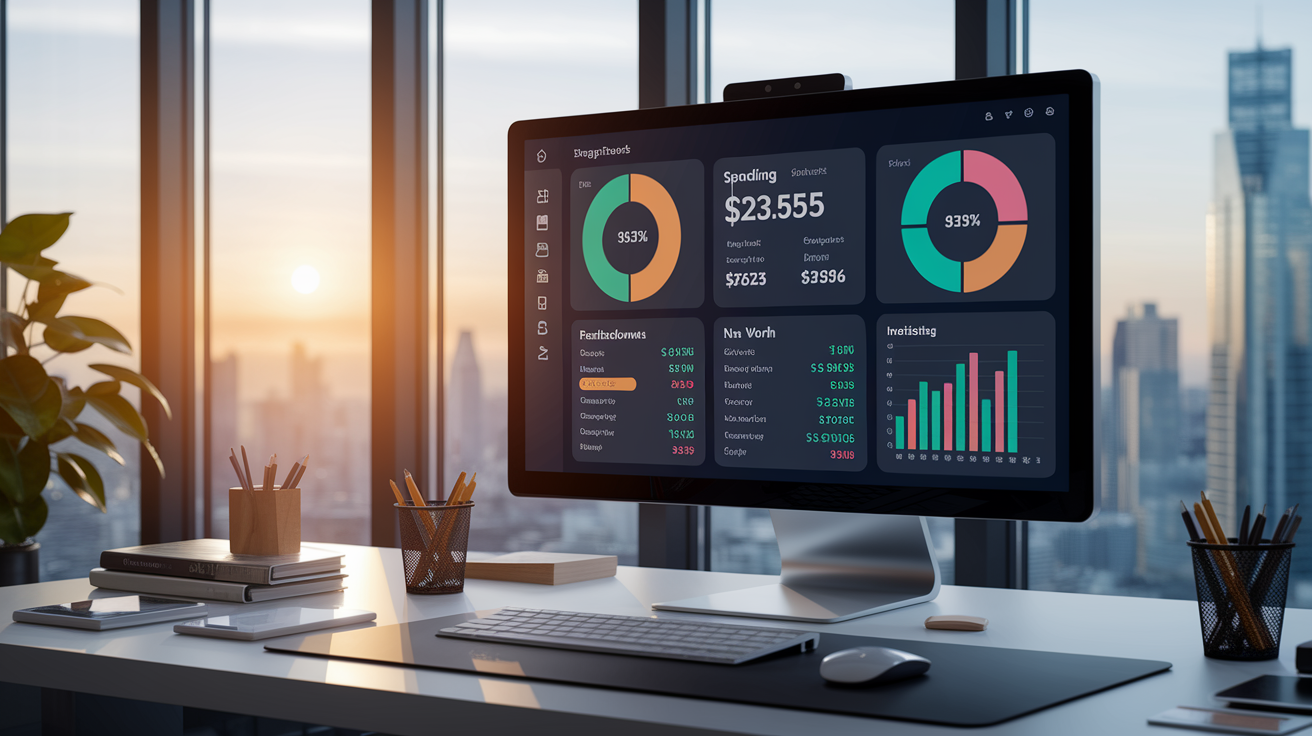
Every major budgeting app provides some version of categorized spending reports. Monthly breakdowns showing how much you spent on groceries, gas, dining out, subscriptions, other categories. The difference is how deep the analytics go and how clearly the visuals communicate your financial story. Spending trends usually include line charts tracking category totals over three, six, or twelve months, pie charts showing category proportions, bar graphs comparing this month to last month or this year to last year. These charts turn transaction lists into patterns. You see that restaurant spending spiked in December, or your grocery budget crept up 15% since you moved.
Net worth calculation and financial dashboards take reporting further by combining all your accounts. Checking, savings, credit cards, loans, mortgages, retirement accounts, taxable investments. Single snapshot of what you own minus what you owe. Empower leads here, offering portfolio performance charts, asset allocation breakdowns, retirement planning projections alongside basic budgeting. Quicken provides similarly robust investment reporting plus tax-category tagging for year-end prep. Tiller enables custom spreadsheet analytics, so if you want to track irregular income patterns, forecast future cash flow with custom formulas, or build pivot tables comparing spending across multiple years, you can build it yourself in Google Sheets or Excel.
Key reporting and analytics features to check:
- Monthly and yearly spending trends – Line charts showing category totals over time, with the ability to drill down into individual transactions.
- Category breakdowns and pie charts – Visual proportions of where your money goes, helping you spot overspending in specific areas.
- Net worth tracking – Consolidated view of assets minus liabilities, updated automatically as account balances change.
- Investment performance and allocation – Portfolio returns, dividend income, asset-class breakdowns, retirement-goal progress (Empower, Quicken).
Shared Household and Family Budgeting Features in Personal Budget Software

Managing money as a couple or family requires visibility, communication, some level of shared control. GoodBudget supports shared envelope budgets by syncing envelopes across multiple devices, so both partners see the same grocery envelope balance and can log transactions from their own phones. Monarch allows household logins at no extra cost, giving each family member access to the same budget with separate logins that don’t expose individual account numbers to everyone. YNAB Together includes up to five users under a single subscription, making it easy to assign budgeting responsibilities to different household members or involve older kids in tracking family goals.
Honeydue is purpose-built for couples. Offers shared visibility on joint checking accounts, credit cards, and bills while keeping individual accounts private to each partner. The app includes in-app chat so you can discuss upcoming expenses, react to transactions with emoji, set shared savings goals without switching to text messages. This mix of transparency and privacy helps partners coordinate on shared expenses (rent, groceries, utilities) while respecting autonomy over personal spending. If you’re budgeting solo, these features won’t matter. But for households juggling multiple incomes, shared bills, and family goals, multi-user support turns budgeting from a solo chore into a collaborative habit.
Advanced Automation and Integration Capabilities in Personal Budget Software

Automation rules and recurring payments save time by handling predictable transactions without manual input. Simplifi and Mint both let you create rules that automatically categorize transactions based on merchant name, amount, or keywords. Every Starbucks charge goes into “Coffee” and every paycheck gets tagged as “Income” without you lifting a finger. Bill reminders and spending alerts notify you a few days before rent’s due, when you’ve exceeded a category limit, or when an unusual charge appears. PocketGuard and WalletHub add subscription management tools that identify recurring charges (streaming services, gym memberships, software subscriptions) and flag ones you might’ve forgotten.
Third-party add-ons and API access extend the capabilities of some platforms. Tiller integrates with Google Sheets and Excel, feeding daily bank-transaction updates into spreadsheets where you can apply custom formulas, build pivot tables, or connect other automation tools like Zapier. A few budgeting apps offer developer APIs or plugin ecosystems, though most consumer tools keep integrations internal to maintain security and simplicity. If you want to automate savings transfers, connect budgeting data to tax software, or build custom workflows, check whether the app supports exports, webhooks, or documented APIs before committing.
Common automation and integration features:
- Automatic transaction categorization based on merchant rules
- Recurring bill reminders and due-date notifications
- Spending alerts when you exceed category budgets or approach savings goals
- Subscription tracking and duplicate-charge detection (PocketGuard, WalletHub)
- CSV and spreadsheet export for custom analysis or tax prep
- Integration with Google Sheets, Excel, or third-party automation platforms (Tiller)
How to Choose the Right Personal Budget Software for Your Needs

Start by testing free trials before you commit to a paid subscription. Most apps offer trials from 7 days (PocketGuard, Monarch) to 34 days (YNAB), giving you time to confirm your bank connects reliably, the budgeting method fits your workflow, and the mobile app feels natural. During the trial, link all your key accounts. Checking, savings, credit cards, loans. Watch how quickly transactions import and how often you need to re-authenticate. If your regional credit union or smaller bank fails to sync or requires weekly re-logins, that app might not be worth the subscription cost no matter how good the features look.
Confirm bank connectivity and export options before paying. Check the app’s supported-institutions list to verify your primary bank, credit union, and credit card issuers are included. If you might switch apps later or need transaction records for tax filing, test the CSV or spreadsheet export during your trial. Some apps limit export frequency or charge extra for historical data. Long-term costs add up. A $99-per-year subscription runs nearly $500 over five years, so make sure the app’s method and features justify the ongoing expense compared to free alternatives or one-time desktop purchases.
Match the app to your primary budgeting need and preferred level of involvement. If you want hands-on discipline and can commit to weekly budget reviews, YNAB’s zero-based method and four-rule framework deliver high retention and financial confidence. If you prefer automated forecasting and quick snapshots, Simplifi or PocketGuard handle the planning with minimal manual updates. If you’re managing investments alongside daily spending, Empower’s free dashboard consolidates everything. If you love spreadsheets and want unlimited customization, Tiller feeds your bank data into Google Sheets or Excel.
Steps to pick the right tool:
- Identify your budgeting method preference – Decide if you want zero-based control (YNAB, EveryDollar), envelope limits (GoodBudget), automated forecasting (Simplifi, PocketGuard), or spreadsheet flexibility (Tiller).
- Test bank connectivity during free trials – Confirm your accounts sync reliably and transactions import daily without frequent re-authentication.
- Evaluate platform compatibility – Choose mobile-first apps if you budget on the go, desktop apps if you prefer local data, or spreadsheet tools if you want custom formulas.
- Check export and data portability – Confirm CSV or spreadsheet export options so you can switch apps or pull tax records without losing transaction history.
- Calculate long-term subscription costs – Compare annual fees ($48 to $150/year typical) against the value you get from automation, reporting, and support, and consider one-time desktop purchases if ongoing costs feel too high.
Final Words
Start by narrowing the list to two or three apps that match your budgeting method and devices. This post compared top tools, pricing and free vs paid trade-offs, key features, security, reporting, family sharing, automation, and how to choose.
Try free trials, confirm bank sync and export options, and test the reports you’ll actually use. Pick one you’ll open weekly. You’re not the only one who finds this confusing—small steps win.
With the right personal budget software, messy finances become clear plans you can stick with and improve over time.
FAQ
Q: What is the best personal budget software and what does Dave Ramsey’s recommended personal finance software?
A: The best personal budget software depends on your needs: Mint for free tracking, YNAB for zero‑based budgeting, Tiller for spreadsheets, Quicken for desktop. Dave Ramsey recommends EveryDollar, a zero‑based app (premium adds bank sync).
Q: What is the 50/30/20 budget rule?
A: The 50/30/20 budget rule is a simple split: 50% of after‑tax income for needs, 30% for wants, and 20% for savings and debt repayment — a quick way to set balanced targets.
Q: Is there a personal version of QuickBooks?
A: There isn’t a dedicated personal QuickBooks; QuickBooks Self‑Employed targets freelancers. For everyday personal budgeting choose Mint, Quicken, YNAB, or Tiller for spreadsheet-based control.