



Is your budget app actually helping you save—or just making money management more complicated?
Personal finance budget tools can do the heavy lifting: automatic bank syncing, real-time categorization, bill reminders, and goal tracking that turn confused spending into a clear plan.
This guide shows which tools match different lives—free vs paid, hands-on vs automated, shared household use, freelance income, and investment tracking—so you can pick the right app for your habits and financial goals without guesswork.
Comprehensive Guide to Choosing Personal Finance Budget Tools That Fit Your Needs
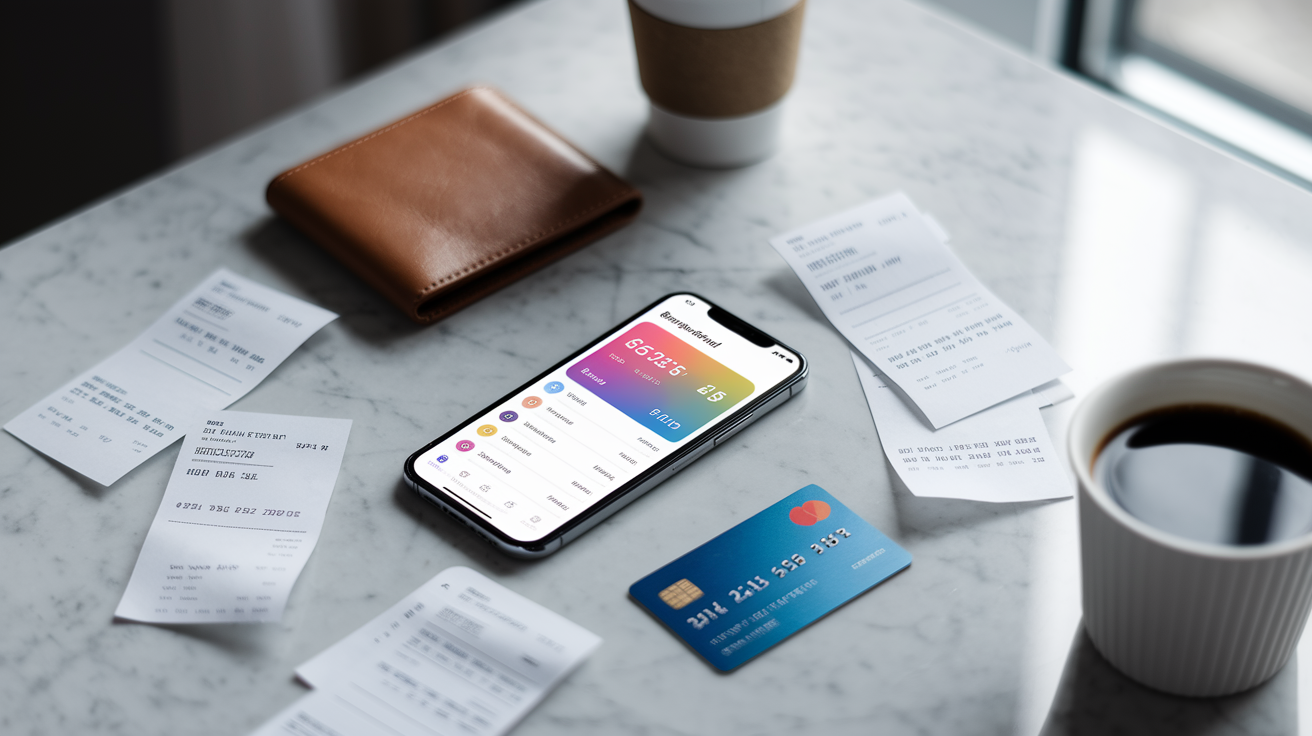
Personal finance budget tools track spending, set monthly limits, sync bank accounts, and show you where your money goes without forcing you to open a spreadsheet every night. The best ones pull transactions automatically, sort purchases as they happen, and ping you when you blow past a category or miss a bill. Whether you want something totally free like Mint, a strict framework like YNAB’s zero based approach ($14.99/month or $99/year), or a light dashboard like Simplifi (~$39.99/year), it comes down to how hands on you want to be and whether you need investment tracking, shared household views, or envelope planning.
Free tools swap automation and polish for zero cost. Mint gives you automatic syncing and bill reminders but shows ads. Goodbudget’s free version caps you at around 10 envelopes and makes you enter everything manually. Personal Capital provides free budgeting plus solid portfolio analytics, though they earn revenue from advisory fees (0.89% to 0.25% of assets under management) if you sign up for wealth management. Paid tiers remove those limits. YNAB, EveryDollar Premium (~$129/year), PocketGuard Plus (~$34.99/year), and Goodbudget’s paid plan (~$70/year) unlock bank syncing, unlimited categories or envelopes, cross device support, CSV exports, and priority help. If you’re managing irregular freelance income, splitting bills with a partner, or tracking both spending and a six figure investment portfolio, paying usually delivers enough value to justify the cost.
When you’re comparing personal finance budget tools, focus on six factors that shape daily use and long term success:
Automation level. Does the app link to your bank automatically, or do you manually enter every transaction?
Ease of use. Can you set up your budget in under 10 minutes, or does the learning curve stretch over weeks?
Price. Free, low cost (~$3 to $5/month), or premium (~$10 to $15/month)?
Account syncing. Does it support checking, savings, credit cards, loans, and investment accounts via Plaid or Yodlee?
Device support. Web dashboard, iOS and Android apps, Apple Watch complications, or mobile only?
Goal tracking. Can you define sinking funds, track debt payoff with snowball or avalanche methods, and monitor emergency fund progress toward 3 to 6 months of expenses?
Feature Breakdown Inside Modern Personal Finance Budget Tools

Most budgeting apps share a core set of capabilities designed to replace pen and paper ledgers and clunky spreadsheets. Automatic bank syncing pulls transactions from checking accounts, credit cards, and loans every 24 to 72 hours, using aggregators like Plaid, Yodlee, or Finicity. Once a transaction appears, the app applies categorization rules. Your morning coffee at the same café always lands in “Food & Dining,” and Netflix renews under “Entertainment.” Bill reminders flag upcoming due dates, while spending forecasts show whether you’ll finish the month in the green or the red. Envelope based tools like Goodbudget let you allocate fixed amounts to categories and watch balances shrink with every purchase, just like cash stuffed into paper envelopes. Zero based budgeting apps (YNAB, EveryDollar) ask you to assign every dollar a job before the month starts, turning your income into a plan rather than a guess.
Advanced features separate basic trackers from full financial dashboards. Investment and net worth tracking (found in Personal Capital, Empower, Monarch, and Copilot) display portfolio performance, asset allocation, and retirement projections alongside your grocery spending. Goal modules let you name a target. $1,000 emergency fund, $5,000 car repair sinking fund, $20,000 student loan payoff. Then you track monthly contributions. Security layers include AES 256 encryption, TLS for data in transit, and two factor authentication to protect read only bank connections. Essential features to expect in any serious personal finance budget tool:
Transaction categorization with bulk editing and custom rules
Bill tracking, due date alerts, and autopay confirmation
Customizable spending categories and subcategories (typically 8 to 20 top level groups)
Mobile and web access for checking balances on the go or reconciling at your desk
CSV or QIF export for tax prep, year end reviews, and data portability
Comparing Free vs Paid Personal Finance Budget Tools

Free budgeting tools prove you don’t need a subscription to start managing money, but they usually trade automation for ads or cap the number of accounts and categories you can track. Mint remains the flagship free option. Unlimited bank connections, automatic transaction syncing, bill reminders, and a credit score dashboard, all supported by targeted offers and advertisements. Goodbudget’s free tier provides manual envelope budgeting for up to 10 envelopes and one account, enough for a single person testing the method. EveryDollar offers a free basic plan that requires manual transaction entry, while PocketGuard’s free version shows a simplified “In My Pocket” figure but restricts you to a handful of linked accounts. Personal Capital’s budgeting and investment tracking dashboards cost nothing, though the company monetizes through optional wealth management advisory fees.
Paid tiers unlock the features that make budgeting stick. YNAB charges $14.99/month or $99/year and delivers a 34 day free trial, real time bank syncing, shared budgets for up to five users via YNAB Together, and access to its proven zero based methodology with educational workshops. Goodbudget’s paid plan (~$70/year) removes envelope limits and supports up to five devices, ideal for families who want everyone on the same page. Simplifi (~$39.99/year) emphasizes cash flow forecasting and a streamlined interface at a mid tier price. PocketGuard Plus (~$34.99/year or $12.99/month with a 7 day trial) adds unlimited accounts, custom categories, and a debt payoff tracker. EveryDollar Premium (often bundled at ~$79.99/year or $17.99/month after a 14 day trial) automates bank syncing and pairs with Ramsey branded coaching and daily lessons. Monarch Money ($99.99/year or $14.99/month with a 7 day trial) bundles household sharing, AI recaps, equity compensation support, and investment dashboards in one polished package.
| Tool | Free Features | Paid Features | Typical Cost |
|---|---|---|---|
| Mint | Unlimited accounts, auto sync, bill tracking, credit score, ad supported | Mint Premium: ad free, advanced insights | ~$4.99/month |
| YNAB | None (34 day trial) | Zero based budgeting, loan simulator, shared budgets (5 users), web + mobile + Watch | $14.99/month or $99/year |
| Goodbudget | Manual entry, ~10 envelopes, 1 account, 2 devices | Unlimited envelopes/accounts, 5 devices, courses | $10/month or $80/year |
| PocketGuard | Basic “In My Pocket” view, limited accounts | Unlimited accounts, custom categories, debt payoff, net worth | $12.99/month or $74.99/year |
| EveryDollar | Manual zero based budget, basic categories | Bank sync, personalized plans, daily lessons, live coaching | $17.99/month or $79.99/year |
| Personal Capital / Empower | Budgeting, net worth, portfolio analytics | Wealth management (advisory fees 0.89% to 0.25% AUM) | Free tools; advisory fees apply if managed |
Best Personal Finance Budget Tools by User Type

Matching a tool to your life stage and financial habits makes the difference between sticking with a budget for years and abandoning it after two weeks. Beginners who want simple, automatic tracking should start with Mint or PocketGuard. Both offer free tiers, require minimal setup, and provide visual dashboards that show spending trends without demanding envelope shuffling or rule creation. Students benefit from YNAB’s one year free offer (verified .edu address required) and its structured methodology, which builds lifelong budgeting habits during college when income is irregular and every dollar counts. New parents juggling diapers, daycare deposits, and medical copays often prefer EveryDollar’s straightforward zero based template, which forces a monthly plan and highlights where baby expenses are eating into other categories.
Couples and families managing shared accounts need tools designed for transparency and collaboration. Honeydue is mobile only but purpose built for partners. In app chat, shared transaction views, spending alerts, and bill reminders keep both people informed without requiring separate logins or manual syncing. Goodbudget’s envelope system supports shared budgets across multiple devices, letting one partner allocate grocery money while the other tracks childcare costs in real time. Monarch Money includes one household member at no extra cost and offers a polished dashboard that tracks net worth and investments alongside daily spending, ideal for dual income households building wealth. Freelancers and contractors with unpredictable paychecks lean on PocketGuard’s “safe to spend” snapshot or YNAB’s assignment flexibility, both of which let you budget variable income month by month rather than forcing a fixed monthly plan. Investors who want budgeting and portfolio analytics in one place choose Personal Capital (now Empower) for free net worth tracking, asset allocation charts, and retirement planning tools, or upgrade to Copilot Money ($13/month or $95/year) for Apple native AI categorization and subscription detection.
Match your profile to the right tool using these quick recommendations:
Beginners. Mint (free, automatic, visual) or PocketGuard free (simple “safe to spend” view)
Students. YNAB (1 year free with .edu; zero based discipline)
Couples. Honeydue (mobile only, shared chat), Goodbudget (shared envelopes), Monarch (household member included)
Freelancers. YNAB or PocketGuard (flexible income assignment)
Investors. Personal Capital/Empower (free portfolio tools), Copilot (Apple only, net worth + budgeting), Monarch (AI + equity tracking)
Setup Guide: How to Start Using Personal Finance Budget Tools Successfully

Getting a budgeting app running takes less than an hour if you follow a logical sequence. Start by creating an account and enabling two factor authentication to secure your financial data. Most apps support SMS codes, authenticator apps, or biometric login. Next, link your primary checking account, one or two credit cards, and any loans (student, auto, mortgage) using the app’s bank connection wizard, which routes through Plaid, Yodlee, or a similar aggregator. If you prefer manual control or your bank isn’t supported, choose an app that accepts CSV or QIF imports and upload recent transaction histories. Within 24 to 72 hours, your first batch of transactions will sync, often dumped into generic categories like “Shopping” or “Other.”
Now build your budget framework. Create 8 to 12 top level categories. Housing, Transportation, Food & Dining, Utilities, Healthcare, Debt Payments, Savings, Entertainment, Personal Care, Subscriptions. Add subcategories where helpful, like Groceries vs. Restaurants under Food & Dining. Assign a monthly dollar amount to each category based on last month’s actuals or a rough percentage of your take home pay. 50% needs, 30% wants, 20% savings is a common starting split. Set your first financial goals. An emergency fund target of $1,000 for beginners or 3 to 6 months of expenses for established households, a sinking fund for an upcoming expense (new tires, holiday travel, annual insurance premium), and a debt payoff goal with a target date and method. Snowball pays smallest balances first; avalanche targets highest interest. Configure spending alerts so the app notifies you when a category hits 80% or 100% of its limit, and enable bill reminders for recurring payments to avoid late fees.
Follow these 10 steps to go from signup to smooth operation:
-
Create your account and turn on two factor authentication (SMS, app, or biometric).
-
Link primary bank accounts, credit cards, and loans via automatic sync or CSV upload.
-
Wait 24 to 72 hours for the first transaction batch to appear; check that balances match your bank statements.
-
Build 8 to 12 budget categories and assign monthly dollar targets to each.
-
Review synced transactions and recategorize any that landed in the wrong bucket; create rules for recurring merchants (Netflix goes to Entertainment, gym membership to Personal Care).
-
Set one short term goal (e.g., $1,000 emergency fund) and one long term goal (retirement contribution, debt payoff).
-
Turn on overspending alerts and bill due date reminders in the app’s notification settings.
-
Perform a weekly 5 minute check. Review new transactions, recategorize, mark bills paid.
-
Schedule a monthly 30 minute reconciliation. Compare app totals to bank statements, adjust next month’s category budgets, check goal progress.
-
Export a CSV backup quarterly for tax records and year end analysis.
Security & Privacy in Personal Finance Budget Tools

Most reputable budgeting apps use bank level encryption to protect your credentials and transaction data. AES 128 or AES 256 encryption secures data at rest, while TLS (Transport Layer Security) encrypts information traveling between the app and your bank’s servers. Account aggregators like Plaid, Yodlee, and Finicity establish read only connections. Your app can download transaction histories but can’t move money or change account settings. Two factor authentication (2FA) adds a second login step, usually a six digit code sent to your phone or generated by an authenticator app, blocking unauthorized access even if someone steals your password.
Privacy tradeoffs differ between free and paid tools. Free apps like Mint monetize by displaying targeted offers for credit cards, loans, or financial products based on your spending patterns and credit profile; your transaction data is anonymized and aggregated but used to refine those recommendations. Paid apps (YNAB, Simplifi, Monarch, Copilot) rely on subscription revenue and typically avoid ad based monetization, offering cleaner interfaces and stricter data policies. Manual entry apps (Goodbudget’s free tier, spreadsheets) eliminate third party aggregator access entirely, appealing to users who prioritize privacy over convenience. Always review an app’s privacy policy to understand whether transaction data is shared with advertisers, sold to data brokers, or retained after you close your account.
Key privacy and security factors to verify before linking accounts:
Encryption standards. Look for AES 256 at rest and TLS 1.2 or higher in transit
Two factor authentication. Confirm the app supports SMS, authenticator apps (Google Authenticator, Authy), or biometric login
Read only connections. Ensure the aggregator can’t initiate transfers or change balances
Data retention and deletion. Check how long transaction histories are stored and whether you can permanently delete your account and all linked data
Workflow Tips for Getting the Most from Your Personal Finance Budget Tools

Budgeting apps only work if you actually open them, so build a rhythm that fits your schedule and cognitive load. Weekly check ins take 5 to 15 minutes. Open the app, scan new transactions, recategorize the 1 to 3 percent that landed in the wrong bucket, mark bills as paid, and glance at your category balances to spot overspending early. Monthly reconciliation demands 30 to 60 minutes but keeps your data trustworthy. Compare the app’s account totals to your bank and credit card statements, investigate discrepancies (duplicate transactions, missed imports, manual entries you forgot to log), adjust next month’s category budgets based on this month’s actuals, and review progress toward your emergency fund, sinking funds, and debt payoff goals. Quarterly or semi annual reviews zoom out. Run a net worth report, check investment asset allocation, export a CSV for tax prep or year end analysis, and reassess whether your spending categories still match your priorities.
Automation reduces maintenance friction. Set up rule based categorization so recurring transactions (subscriptions, utilities, gym memberships) land in the correct category without manual tagging. Use overspending alerts to catch budget overruns before the month ends, giving you time to shift discretionary dollars or cut back. Review subscription expenses every three months; most budgeting apps highlight recurring charges, and tools like PocketGuard and Copilot even flag subscriptions you might have forgotten. Export CSVs before tax season to simplify deduction tracking (home office expenses, mileage, charitable donations). If your app supports multiple users, assign one person to handle weekly transaction checks and the other to run monthly reconciliation, splitting the cognitive load and keeping both partners engaged.
Six workflow habits that turn budgeting tools from novelty to necessity:
Weekly 5 minute transaction review. Catch miscategorized purchases and overspending while you still have time to adjust
Monthly 30 minute reconciliation. Match app totals to bank statements and adjust next month’s category budgets
Quarterly net worth check. Run a full balance sheet report (assets minus liabilities) and track progress over time
Rule based automation. Create merchant rules for recurring transactions to reduce manual tagging from dozens to single digits
Subscription audit every 90 days. Identify and cancel forgotten subscriptions or negotiate better rates
CSV export before tax season. Pull transaction histories for deductible expenses, charitable giving, and business mileage
Final Words
Compared tools like Mint, YNAB, EveryDollar and Personal Capital, the guide shows who each app fits and the cost/feature trade-offs.
We broke down core features (automation, envelopes, investment tracking), free vs paid choices, and a clear setup checklist so you can start without getting overwhelmed. Security and simple weekly workflows finish the picture.
Use this to pick the right personal finance budget tools for your situation, test a free tier or trial, and tweak as life changes. You’ll build a habit that keeps your money working for you.
FAQ
Q: What are some tools for keeping a personal financial budget?
A: The tools for keeping a personal financial budget include Mint, YNAB, EveryDollar, Simplifi, PocketGuard, Goodbudget, and Personal Capital — free tiers exist, paid plans add automation and advanced reports.
Q: What is the 70-10-10-10 budget rule?
A: The 70-10-10-10 budget rule splits take-home pay roughly into 70% for living expenses, 10% for short-term savings, 10% for long-term savings or investments, and 10% for debt repayment or giving.
Q: What is the 50/30/20 budget rule?
A: The 50/30/20 budget rule suggests dividing after-tax income into 50% needs, 30% wants, and 20% savings or debt repayment, giving a simple framework for monthly spending and goal-building.
Q: Can ChatGPT make me a budget?
A: ChatGPT can make you a budget by asking income, expenses, and goals, then suggesting category limits and a plan; it can’t link accounts or track transactions automatically, so use it with a tracking app.