



Is your spreadsheet quietly sabotaging your savings?
Personal finance apps pull checking, cards, loans, and investments into one view.
They sort transactions, build budgets, flag bills, and forecast years ahead.
Some force you to assign every dollar. Others do the sorting for you.
This guide compares the top-rated tools and shows what matters most: budgeting philosophy, automation, and investment depth.
Read on to find the app that fits your life, helps stop overspending, and actually changes your money habits for good.
Top-Rated Personal Finance Management Options for Immediate Comparison

Personal finance management tools pull together your checking accounts, credit cards, loans, and investments into one dashboard. You get to see where money comes in and where it leaves. They categorize transactions, show net worth, create budgets, flag upcoming bills, and help you plan years into your future, depending on which app you choose. People compare these tools when a spreadsheet stops cutting it, when they want automated alerts for overspending, or when they need a partner or advisor to see the same numbers at the same time.
Pricing ranges from completely free (NerdWallet and Credit Karma) to fourteen dollars a month billed monthly (YNAB). Annual subscriptions often drop the effective monthly rate. Simplifi charges $5.99 per month when you pay a full year upfront. Monarch runs $8.33 per month annually. YNAB is about $9.08 per month when billed yearly instead of the $14.99 monthly plan. PocketGuard sits in the middle at $74.99 a year. Most paid apps offer trials: YNAB gives you 34 days to decide, Monarch and PocketGuard give seven, EveryDollar offers 14, Copilot runs 30 days for Apple-only users. Rocket Money is unusual because it uses a sliding-scale premium model. Pay what you wish in a suggested range of six to twelve dollars a month after the free tier.
The biggest dividing lines are budgeting philosophy, investment features, and automation depth. Zero-based tools like YNAB and EveryDollar make you assign every dollar before the month starts. Envelope planners like Goodbudget let you allocate cash pots. Automated categorizers such as Copilot, Monarch, and Simplifi do the sorting for you. Quicken Classic goes deepest on investment tracking with real-time quotes, crypto support, and Morningstar Portfolio X-Ray. PocketSmith forecasts up to 30 years ahead if you want long-range “what-if” scenarios. Rocket Money and PocketGuard shine when you need to spot forgotten subscriptions and cancel them without a phone call.
All ten reviewed tools, updated February 23, 2026:
Quicken Simplifi – Editors’ Choice for best balance of ease-of-use and features. Spending Plan model instead of a traditional budget.
YNAB (You Need a Budget) – Editors’ Choice for building realistic spending plans. Zero-based budgeting and free workshops.
Monarch Money – All-in-one Mint alternative. Imports Amazon transactions, AI-driven reports, supports Schedule C for gig workers.
Rocket Money – Bill negotiation and subscription cancellation with automated savings to an FDIC-insured account.
Quicken Classic – Deepest desktop-based toolset for serious investors. Advanced reports and tax tracking.
NerdWallet – Free app with educational content, net worth and cash-flow tracking, mobile-first design.
PocketGuard – Quick “In My Pocket” snapshot and subscription manager. Zero-based framework.
WalletHub – Multiple budgeting approaches, credit-score focus, expense labeling as must-have vs nice-to-have.
Credit Karma – Free daily credit-score updates from two bureaus, net worth tracking, optional checking/savings accounts.
PocketSmith – Highly customizable budgeting with forecasting up to 30 years and unlimited scenarios.
Budgeting-Focused Personal Finance Tools and Methods

Budgeting methods matter because they shape how you answer the basic question: where does the paycheck go before the next paycheck arrives? Personal finance management tools automate that answer, or force you to answer it yourself every pay period. Zero-based budgeting means you give every dollar a job before the month starts. Your income minus your assigned dollars equals zero. YNAB built its entire product on this idea and wraps it in free workshops, videos, podcasts, guides, and a book. Envelope budgeting divides money into named pots. Groceries, gas, vacation. When the pot is empty, spending in that category stops. Goodbudget lets you allocate envelopes digitally, but the free tier requires manual entry of every transaction instead of a bank sync.
Other apps offer lighter structures. Simplifi uses a “Spending Plan” that separates fixed bills, planned spending, and income, then shows what’s left for discretionary buys. PocketGuard calculates “In My Pocket” by subtracting bills, goals, and your safety buffer from what you actually have, giving you a single number to check before buying lunch. WalletHub Premium supports multiple frameworks: Envelope, Pay Yourself First, Simple, and the 50/30/20 rule. You can switch methods without switching apps. Honeydue is designed for couples who want shared visibility. Both partners connect accounts, see categorized spending side by side, set monthly limits together, and chat or emoji-react to transactions inside the app.
Six common budgeting methods inside PFM tools:
Zero-Based Budgeting – Assign every dollar a purpose before the month starts. Income minus assignments equals zero (YNAB, EveryDollar).
Envelope Budgeting – Allocate fixed amounts into digital envelopes for each spending category. Stop when the envelope runs dry (Goodbudget).
50/30/20 Rule – Divide net income into 50% needs, 30% wants, 20% savings and debt. Adjust percentages to fit your actual numbers (WalletHub).
Spending Plan Model – Separate bills, planned spending, and income. Show leftover discretionary cash without rigid category limits (Simplifi).
Snapshot “In My Pocket” Budgeting – Calculate spendable cash by subtracting bills, goals, and safety buffer from current balance (PocketGuard).
Couples Budgeting with Shared Visibility – Link both partners’ accounts, set joint limits, and communicate about transactions in real time (Honeydue, Monarch).
Expense Tracking Tools and Transaction Management Features

Automatic categorization takes your raw bank feed (“SHELL 1234 ANYTOWN USA”) and labels it “Gas & Fuel” or “Transportation,” then groups all similar charges for the month. Rocket Money, Monarch, PocketGuard, and Simplifi all do this without manual input. Simplifi goes further with transaction splits and tags so a single Costco receipt can be divided into groceries, household supplies, and a prescription, each assigned to the correct category. Monarch adds Amazon transaction import, pulling order-level detail directly so you see “Dog Food” instead of “AMZN Mktp US.” Monarch also uses an AI-driven natural-language assistant. Ask “How much did I spend on dining last quarter?” and get an instant answer without clicking through reports.
Most tools sync accounts through third-party aggregators like Plaid, Yodlee, or Finicity. Rocket Money and many others use Plaid for real-time balance and transaction pulls. PocketSmith connects via both Plaid and Yodlee, giving wider institution coverage when one aggregator can’t reach a credit union or regional bank. The trade-off is speed versus privacy. Some users disable auto-sync and enter transactions manually to keep credentials off third-party servers. WalletHub and Credit Karma use 128-bit encryption for data in transit. Simplifi, Rocket Money, and Quicken Classic use 256-bit.
Custom categories let you track what matters to your household. If you run a side business, Monarch supports Schedule C expense categories for 1099 workers so tax time is less painful. If you have irregular spending that doesn’t fit “Groceries” or “Clothing,” most apps let you create new buckets. Receipt capture is less common. Quicken Classic supports it on desktop. Mobile-first apps assume the bank feed is enough. Accuracy hinges on how well the app recognizes merchant names and how quickly you review and fix miscategorized items. Five minutes a week keeps your reports honest.
Investment and Net Worth Tracking in Personal Finance Tools

Basic investment dashboards show account balances and maybe a pie chart of asset allocation. Enough to see that your 401(k) balance went up or down this month. Advanced dashboards pull real-time quotes, calculate unrealized gains and losses, track dividend income, handle crypto holdings, and show Morningstar Portfolio X-Ray analysis to spot overlap or risk concentration. Quicken Classic delivers the advanced tier with frequent-trader features: cost basis tracking, capital gains projections, and detailed performance reports across multiple accounts. Monarch sits in the middle, supporting crypto, ETFs, derivatives, and mutual funds with good transaction categorization but less tax-focused reporting than Quicken.
Forecasting tools model future net worth by projecting income, expenses, investment returns, and life events forward in time. PocketSmith runs scenarios up to 30 years ahead. Change your expected salary, add a new car loan, adjust investment growth rates, and see how retirement savings shift. The app allows unlimited what-if comparisons so you can test “buy a house in 2028” versus “keep renting and max the IRA.” Simplifi includes a retirement mini-planner but keeps it casual. Useful for a ballpark check, not deep modeling. NerdWallet partners with Atomic Invest for a six-month introductory savings rate of 4.65% APY, dropping to 4.0% APY after that, tying basic cash-flow tracking to a savings vehicle.
| Tool | Investment Depth | Forecasting Features |
|---|---|---|
| Quicken Classic | Real-time quotes, crypto, Morningstar X-Ray, cost basis, capital gains | Desktop-based reports; limited long-range modeling |
| Monarch | Crypto, ETFs, derivatives, mutual funds; AI assistant for quick queries | Cash-flow projection; forecasting could be stronger |
| PocketSmith | Account balances and basic asset views | Forecasts up to 30 years; unlimited what-if scenarios |
| Simplifi | Casual investment monitoring; retirement mini-planner | Short-term cash-flow projections; no deep long-range scenarios |
Security and Privacy Features Across Personal Finance Management Tools

Encryption strength sets the baseline for data protection. Simplifi, Rocket Money, and Quicken Classic use 256-bit encryption for data at rest and in transit. The same standard banks use for online account access. NerdWallet, WalletHub, and Credit Karma rely on 128-bit encryption, still strong enough for most security frameworks but one tier below the highest available. Multi-factor authentication adds a second check at login. Text codes, authenticator apps, or biometric scans. A stolen password alone can’t unlock your financial dashboard. Most of the ten reviewed apps support MFA, and enabling it is a one-time setup step worth doing the day you sign up.
Read-only connectors and double-encryption of credentials give extra layers when you link bank accounts. Quicken Classic double-encrypts login credentials before storing them on Quicken’s servers, then uses read-only API connections where possible so the app can see balances and transactions but cannot initiate transfers or payments. Monarch and several others offer read-only linking through Plaid, reducing the risk if the PFM service is breached. Some institutions still require full credentials instead of OAuth tokens, so check which connection method your bank supports before assuming read-only is available.
Security considerations when choosing between fully connected and manual-entry tools come down to convenience versus control. Fully connected apps update balances every few hours and categorize transactions automatically, saving time but requiring you to trust the app vendor and its aggregator with your bank login. Manual-entry tools like Goodbudget’s free tier and YNAB’s optional manual mode let you type in every transaction yourself, keeping credentials offline. The trade-off is clear: automated sync reduces forgotten expenses and always-current balances. Manual entry gives total privacy but demands discipline to log every coffee and gas fill-up.
Subscription Management and Bill Monitoring Tools

Rocket Money auto-detects recurring subscriptions by scanning your transaction history for repeating charges. Streaming services, gym memberships, software licenses, meal kits. Once detected, the app lists them with the monthly or annual cost and lets you cancel directly through a concierge service that handles the phone call or website chat for you. PocketGuard includes a subscription manager that flags recurring payments and shows how much they add up to each month, but you handle cancellation yourself. WalletHub Premium adds a “spending trimmer” feature that spots subscriptions and suggests cuts, plus the subscription manager organizes them in one list.
Credit Karma offers optional checking and savings accounts through its banking partner, turning basic subscription tracking into a full banking relationship if you want direct deposit and bill pay in the same app. Quicken Classic supports limited bill pay features on desktop. Schedule one-time or recurring payments for utilities, credit cards, and loans directly from the software, though many users prefer to keep bill pay inside their bank’s own portal for liability reasons. Most PFM tools stop at reminders and alerts. They’ll notify you three days before a bill is due, but you still open your bank app or website to pay it.
Five top subscription and bill management tools:
Rocket Money – Auto-detects subscriptions, concierge cancellation service, automated savings transfers.
PocketGuard – Subscription manager with monthly cost totals. Manual cancellation.
WalletHub Premium – Subscription manager and spending trimmer. Credit-score monitoring included.
Quicken Classic – Desktop bill pay for utilities and loans. Transaction-level tracking.
Credit Karma – Optional checking/savings accounts for direct bill pay. Free credit monitoring and net worth tracking.
Savings Automation and Financial Goal Tracking Tools

Automated transfers move money from checking to savings on a schedule you set. Every payday, every week, or when your balance exceeds a threshold. Rocket Money connects to NBKC Bank and offers FDIC-insured automated savings: tell the app how much to save and when, and it pulls the funds without a manual transfer each time. The feature works even on the free tier, but Premium users get more customization and higher transfer limits. Simplifi supports savings goals with target dates and amounts, showing progress bars and projecting whether you’ll hit the goal on time, but those goals don’t link to live savings accounts. You track the number separately and update it manually when you make a deposit.
Goal-based progress tracking turns vague wishes into concrete milestones. Set a goal for “emergency fund $5,000 by December,” and the app calculates how much to save each month, tracks actual contributions, and alerts you when you fall behind or get ahead of schedule. Monarch lets you create shared goals so both partners see the same vacation fund or down-payment target, and contributions from either account count toward the total. YNAB uses category-based goals inside its budget: assign a target amount to “New Tires” or “Holiday Gifts,” and the app tells you how much to budget this month to reach the target by the deadline.
Shared household planning through tools like Monarch’s partner logins or YNAB’s ability to invite up to five additional users makes goal tracking a team effort instead of a solo spreadsheet. Both partners can see income, expenses, and savings progress without forwarding screenshots or email updates. When one person adds a transaction or adjusts a goal, the other sees the change in real time. Rocket Money Premium includes household sharing so couples can link accounts, split bills, and track joint savings goals in one dashboard.
Personal Finance Tools for Families, Couples, and Multi-User Households

YNAB allows you to invite up to five additional users. Six people total on one subscription. A household with two working adults, college-age kids, or a financial advisor can all see the same budget and update it together. Each user logs in with their own credentials, and changes sync instantly. Rocket Money Premium supports partner or household sharing with fewer user slots but the same real-time sync, designed for couples who want joint visibility without merging bank accounts. Monarch offers separate logins for household members and treats each person as an authorized collaborator, not a guest viewer. Everyone can add accounts, categorize transactions, and adjust budgets.
Honeydue specializes in couples budgeting with features tailored to two-person households: link both partners’ accounts, set monthly spending limits for shared categories like groceries and dining, and use the in-app chat to comment on transactions or send emoji reactions when your partner buys concert tickets without asking. The app sends joint bill reminders and shows a combined net worth view. It’s mobile-only (no desktop version) and lacks the investment depth or advanced forecasting of Monarch or PocketSmith, but for straightforward couples budgeting it removes friction.
Shared logins let each person manage their own accounts while viewing a consolidated household picture. Visibility settings control what each user sees. Some apps allow one partner to hide specific accounts or transactions if they’re managing a surprise gift fund or tracking personal medical expenses separately. User permissions vary: YNAB gives everyone equal editing rights. Monarch lets the account owner set read-only access for certain collaborators. Rocket Money Premium defaults to full collaboration for both partners. The practical upside is fewer “Did you pay the electric bill?” texts and faster agreement on discretionary spending when both people see the same numbers.
Pricing Models and Cost-Benefit Comparisons in Finance Apps
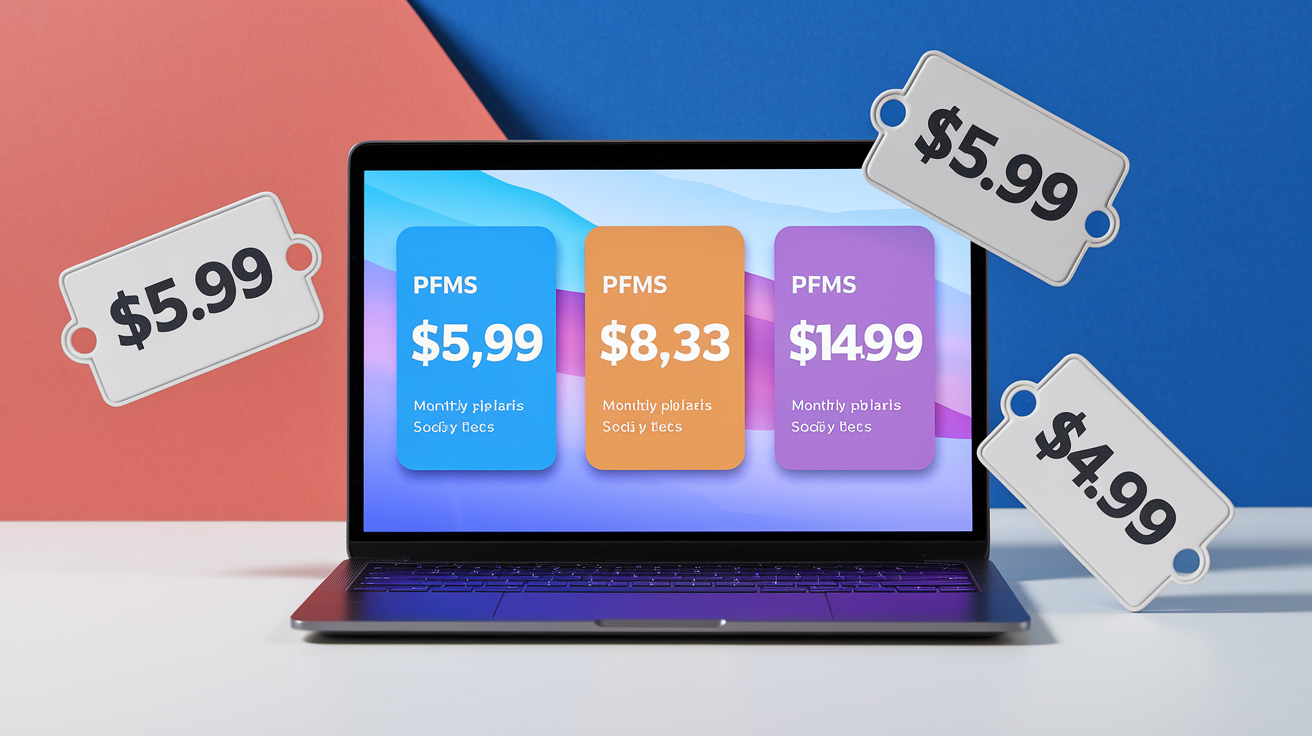
Subscription pricing models range from pay-per-month to annual prepay, with annual billing almost always cheaper per month. Simplifi charges $5.99 per month when you pay the full year upfront. Switch to monthly and the effective rate climbs. Monarch runs $8.33 per month annually or $14.99 monthly. The annual plan saves about $80 over twelve months. YNAB’s monthly plan is $14.99, but the annual equivalent drops to roughly $9.08 per month when you pay $109 once a year. Rocket Money uses a sliding-scale premium model where you pick your own price in a suggested range of six to twelve dollars a month, with the option to pause or cancel anytime after a seven-day free trial.
Free apps like NerdWallet and Credit Karma earn revenue through partner offers. Credit cards, savings accounts, personal loans, displayed alongside your financial data. You get net worth tracking, cash-flow summaries, and daily credit-score updates without paying a subscription, and the app makes money when you click through and open an account. The trade-off is less depth: NerdWallet has no budgeting tools, and Credit Karma’s transaction detail fields are minimal compared to paid apps. Freemium plans like Goodbudget’s free tier and EveryDollar’s basic version give limited features (one account and manual entry for Goodbudget, no bank sync for EveryDollar free), then upsell to Premium for unlimited envelopes, accounts, and automatic transaction imports.
| App | Price | Free Trial | Best For |
|---|---|---|---|
| Simplifi | $5.99/mo annual; $2.99/mo promo | Not specified | Ease-of-use and detailed transaction management |
| Monarch | $8.33/mo annual; $14.99/mo monthly | 7 days | Flexible budgeting, gig workers, Amazon imports |
| YNAB | $14.99/mo monthly; ~$9.08/mo annual | 34 days | Zero-based budgeting and education |
| Rocket Money | Free + Premium $6–$12/mo sliding | 7 days Premium | Subscription cancellation and automated savings |
| PocketGuard | $74.99/year; $12.99/mo | 7 days | Quick spending snapshot and subscription manager |
| Credit Karma | Free | N/A | Daily credit scores and net worth tracking |
Spreadsheet and Open-Source Personal Finance Management Alternatives

Google Sheets and Excel templates give total control over structure, formulas, and privacy without a monthly fee. Reddit users frequently mention custom spreadsheets as the ultimate flexible tool. Build your own budget categories, create pivot tables for spending trends, and own your data with no third-party aggregator involved. Templates range from simple income-minus-expenses trackers to complex models with mortgage amortization, investment returns, and multi-year forecasts. The learning curve is steeper than clicking through an app onboarding wizard, but once you understand cell references and basic formulas, you can adapt the sheet to any financial situation.
Open-source finance tools and offline-mode apps appeal to users who want transparency in the code or absolute privacy for their transaction data. GnuCash and similar desktop programs run locally, store files on your hard drive, and never sync to a cloud server. YNAB and Goodbudget both allow manual-entry modes where you type in every transaction instead of linking bank accounts, effectively turning the app into a digital envelope system that works offline. Some apps export data to CSV so you can archive historical transactions in a spreadsheet, move to a different tool, or analyze spending in Excel without losing years of categorized history.
Four spreadsheet and offline alternatives:
Google Sheets budgeting templates – Free, customizable, cloud-synced. Requires manual data entry and formula knowledge.
Excel personal finance templates – Offline or OneDrive-synced. Full control over categories, pivots, and charts.
Open-source tools (GnuCash, Firefly III) – Local install, transparent code, no subscription. Steeper learning curve.
Manual-entry modes in PFM apps – YNAB and Goodbudget free tier let you skip bank sync for complete offline privacy.
Choosing the Right Personal Finance Management Tool for Your Situation
Editors’ Choice winners (Simplifi for the best balance of ease-of-use and features, YNAB for building realistic spending plans) set the benchmarks, but the right app for your situation depends on what you actually do with money every month. Investors who check portfolio performance daily and track cost basis across multiple brokerage accounts need Quicken Classic’s real-time quotes and Morningstar integration. Gig workers filing Schedule C want Monarch’s business-expense categories and 1099-friendly tagging. Forecasting planners modeling retirement or a house purchase in ten years lean toward PocketSmith’s 30-year scenarios. Debt-focused users trying to kill credit card balances benefit from Rocket Money’s subscription cancellation and automated savings transfers.
Seven factors for deciding which tool fits:
Budget style – Zero-based assignment (YNAB), envelope pots (Goodbudget), spending plan (Simplifi), snapshot “In My Pocket” (PocketGuard), or no rigid budget at all (NerdWallet, Credit Karma).
Integrations and account coverage – Check if Plaid or Yodlee supports your credit union, regional bank, or crypto exchange. Some tools offer manual entry as a fallback.
Security requirements – Look for 256-bit encryption, multi-factor authentication, and read-only connections if you want the highest protection. Accept 128-bit if the app is free and meets your other needs.
Forecasting and long-range planning – PocketSmith for multi-decade what-if modeling. Quicken Classic for investment projections. Simplifi for quick retirement ballpark checks.
Investment depth – Quicken Classic for serious traders. Monarch for crypto and broader asset types. Skip investment features if you only track checking and credit cards.
Subscription and bill management – Rocket Money for concierge cancellation. PocketGuard and WalletHub for tracking and alerts. Quicken Classic for desktop bill pay.
Multi-user and household needs – YNAB for up to six people. Monarch and Rocket Money Premium for partner sharing. Honeydue for couples with in-app chat. Solo users can ignore collaboration features.
Check the app’s trial length and refund policy before committing to an annual plan. YNAB’s 34-day trial gives a full month to test zero-based budgeting. Copilot’s 30-day window is enough to see if the Apple-only design and AI categorization fit your workflow. Simplifi and PocketGuard offer seven days, short but adequate to link accounts and review one week of transactions. Compare the effective monthly cost of annual versus monthly billing, factor in any promotional discounts (Simplifi and Monarch often run 50% off first-year offers), and remember that free apps earn revenue through partner promotions, so expect credit card and loan offers in the interface.
Final Words
In the action, we ran through top-rated options—Simplifi and YNAB are editors’ picks—and the core things to compare: budgeting style, expense tracking, investment depth, security, subscription tools, and pricing.
You saw how zero-based vs envelope budgeting, Plaid integrations and receipt capture, PocketSmith forecasting, and Quicken’s investment features change which app fits you. We also covered family sharing, savings automation, and spreadsheet alternatives.
Use the choosing framework, try free trials, and confirm security. With the right personal finance management tools, you’ll have a system that fits your life and makes money decisions easier.
FAQ
Q: What is the best tool to manage personal finances?
A: The best tool to manage personal finances depends on your goals; editors’ picks are Simplifi (easy budgeting and tracking) and YNAB (zero-based budgeting with strong education).
Q: What are the 5 pillars of personal finance?
A: The five pillars of personal finance are budgeting (manage cash flow), saving (emergency fund), investing (grow wealth), protection (insurance), and planning for retirement, taxes, and debt.
Q: What is the 50/30/20 rule?
A: The 50/30/20 rule splits after-tax income: 50% for needs, 30% for wants, and 20% for savings and debt repayment — a simple starting budgeting guideline.
Q: What is Dave Ramsey’s recommended personal finance software?
A: Dave Ramsey recommends EveryDollar, a zero-based budgeting app with free and paid versions; the paid plan adds automatic bank sync and extra features.