



If you’re still tracking money across six bank logins and a messy spreadsheet, you’re making money management harder than it needs to be.
Modern personal finance software pulls your accounts into one view, imports transactions, auto-categorizes spending, spots subscriptions, and updates balances in real time.
This post walks through the top tools, shows the core features to focus on, and explains the trade-offs so you can pick what actually fits your life.
No hype—just clear comparisons and simple questions to ask at signup or renewal.
Core Functions and Capabilities Users Expect in Personal Finance Software

Modern personal finance software solves one basic problem: it pulls your scattered money info into a single view and shows you what’s actually happening. No more juggling logins across six different bank sites. These tools connect to your accounts, import transactions daily, sort everything into categories, and update your balances automatically. You get visibility and control without the manual busywork.
Account linking does the heavy lifting. Connect your checking, savings, credit cards, loans, and investment accounts once, and the software starts importing transactions, flagging recurring payments, and updating dashboards in real time. Custom reports let you zoom out and review spending patterns over months or years, compare what you planned against what you actually spent, and export data when tax season rolls around. A decent dashboard answers “Am I okay this month?” without forcing you to dig through statements or build spreadsheets from scratch.
Platform availability shapes how you’ll actually use this stuff. Some tools live on mobile, others offer full desktop apps, and plenty give you web access so you can check in from anywhere. Budgeting styles vary too. Zero-based budgeting makes you assign every dollar before the month starts, envelope budgeting divides cash into digital categories, and forecasting tools project future balances based on your current patterns. Manual spreadsheets like Google Sheets or Excel still have fans who want total customization, while dedicated apps handle the grunt work for a subscription fee.
Most people judge personal finance software on these basics:
- Linking accounts across banks, credit cards, loans, and investments
- Auto-sorting transactions with the option to tweak categories
- Building budgets and tracking actual spending against them
- Reminders for bills and spotting recurring payments
- Savings goals with progress tracking and target dates
- Investment and net worth tracking with performance visuals
- Custom reports and data export for taxes
Budgeting and Expense Controls Within Personal Finance Software
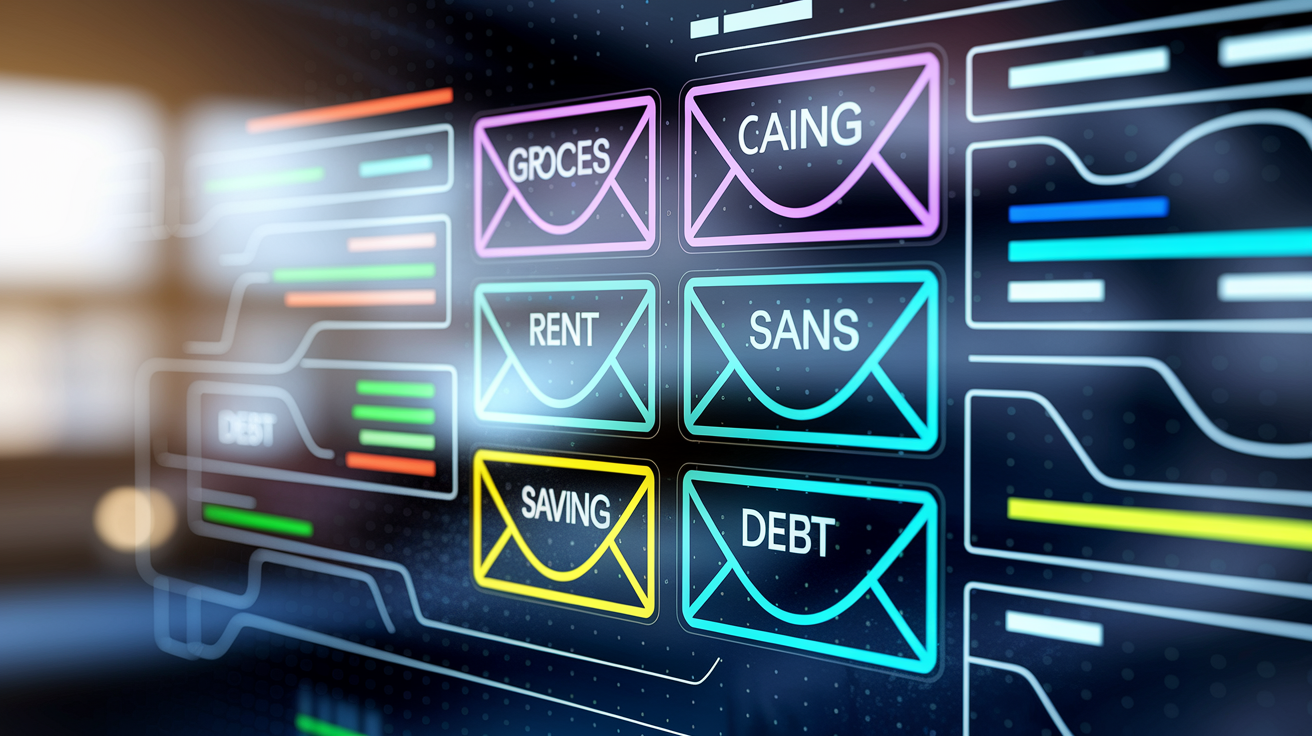
Budgeting tools automate the math that used to eat up notebook pages. Zero-based budgeting, which apps like YNAB and EveryDollar run on, asks you to allocate every dollar before the month begins. Groceries, rent, debt payments, savings. The discipline forces you to make real choices, and if a category runs dry mid-month, you either stop spending or move money from somewhere else. Envelope budgeting, offered by tools like Goodbudget, works the same way digitally: fill envelopes with set amounts, then watch balances drop as you spend. Other apps, like PocketGuard, flip the question and show “what’s left to spend” after accounting for bills, savings, and debt. Forecasting tools such as PocketSmith project balances weeks ahead, helping you catch cash crunches before they bite.
Transaction categorization runs in the background. Most software auto-assigns categories based on merchant names and your spending history. Coffee shops land under “Dining,” gas stations under “Transportation.” But you can set custom rules to split a Target run between “Groceries” and “Household Supplies” or flag certain purchases as business expenses. Savings goals tie budgets to real outcomes: set a target amount and deadline, and the software calculates monthly contributions and tracks progress with visual bars. Some platforms let you link goals to specific accounts, so vacation money stays separate from day-to-day cash.
Common budgeting styles you’ll find across personal finance tools:
- Zero-based budgeting: give every dollar a job before the month starts
- Envelope budgeting: set fixed amounts for digital envelopes, stop when they’re empty
- Proportional budgeting: split income by percentages across needs, wants, and savings
- Forecasting budgets: project future balances based on income and spending patterns
- Flexible budgeting: set target ranges instead of hard limits, with rollover options
- Manual spreadsheet budgeting: full control through Google Sheets, Excel, or Tiller templates
Bill, Subscription, and Recurring Payment Management in Modern Finance Software

Subscription creep sneaks up on everyone. A streaming trial auto-renews, a gym membership you forgot about charges every month, and suddenly small fees add up to hundreds a year. Finance software fights this by scanning transactions for patterns: same merchant, same amount, regular intervals. Tools like Rocket Money and Trim go further and offer bill negotiation services, contacting providers on your behalf to lower cable, phone, or internet bills. PocketGuard and WalletHub include subscription trackers that list all recurring charges in one view, making it easy to review and cancel what you don’t use anymore.
Bill reminders keep you ahead of due dates. Most platforms let you tag upcoming bills and set alerts a few days early. If a bill amount changes unexpectedly, the software can notify you before the charge hits. Recurring-payment rules automate categorization and budgeting: once the software recognizes your monthly car payment, it assigns the transaction to “Auto Loan” every cycle and reserves that amount in your budget without manual input.
Fee tracking catches bank charges, overdraft fees, and late-payment penalties. Some apps flag these automatically and total them monthly so you can see exactly how much you’re losing to avoidable costs. Seeing fees pile up often motivates people to adjust account types, set up autopay, or restructure cash flow to stop the bleeding.
Investment, Net Worth, and Portfolio Tracking Features in Personal Finance Software

Investment dashboards pull brokerage accounts, retirement funds, and taxable portfolios into one place, showing current balances, asset allocation, and performance over time. Empower, formerly Personal Capital, stands out here. Its free tools include detailed portfolio views, a retirement fee analyzer that estimates how much advisor and fund fees will cost you over decades, and an investment checkup that flags imbalances or risky concentrations. Monarch Money and PocketGuard also pull in investment accounts and display net worth trends, but they focus more on high-level snapshots than deep portfolio analysis. Quicken offers robust investment tracking across its tiers, appealing to desktop users who want installed software and granular reporting.
Net worth tracking adds all your assets (cash, investments, home equity) and subtracts all debts to show your financial position at a glance. Watching net worth climb month by month, even if it’s just a few hundred dollars, provides motivation that budgets alone sometimes miss. Many tools graph net worth over time, so you can see the impact of debt payoff, market gains, or major purchases. Trend analytics help you answer questions like “Am I building wealth or treading water?” and “How fast am I paying down student loans compared to growing savings?”
Crypto portfolio tracking has become a common add-on. CoinTracker and Koinly specialize in cryptocurrency: both offer free tracking across multiple exchanges and wallets, automatically importing transaction history and calculating current holdings. The free tiers handle visibility and basic analytics. Paid plans unlock tax reporting features that generate the detailed gain and loss statements required for filing. General-purpose finance software is catching up (some platforms now support crypto account links) but dedicated tools still lead on accuracy and tax complexity.
Tax reporting capabilities vary. Investment-focused tools export capital gains, dividend income, and cost-basis data in formats that tax software or accountants can import directly. Crypto tools generate IRS forms and transaction logs. For most people, the ability to pull a year-end summary of taxable events saves hours during filing season and cuts down on errors.
Platform Compatibility and Mobile Experience in Personal Finance Software

Availability across devices shapes how often you’ll actually open the app. Monarch Money supports both desktop and mobile apps, syncing in real time so you can review budgets on your laptop and log a quick expense from your phone. YNAB goes further with mobile, desktop, and Apple Watch support, letting hands-on budgeters check category balances or enter transactions from their wrist. PocketGuard offers web, mobile, and Apple Watch access, though its new “Pace” feature (showing daily spending limits) is currently iPhone-only, with Android support expected later in 2026.
Some tools lock you into one platform by design. Honeydue is mobile-only, which works for couples who want quick shared views and in-app chat but frustrates anyone who prefers desktop workflows. Copilot Money runs exclusively on iOS, targeting Apple users with AI-driven autocategorization and a polished interface. Goodbudget spans mobile and web but lacks a native desktop app, so desktop users work through the browser. Quicken flips the script: it’s desktop-first, built as installed software for Windows and Mac, with a companion mobile app that syncs budgets and balances but offers limited functionality compared to the full desktop experience. EveryDollar supports both mobile and web, giving you flexibility whether you’re at home or on the go.
| Software | Desktop Support | Mobile Support | Web Support |
|---|---|---|---|
| Monarch Money | Yes (full app) | iOS and Android | Yes (full access) |
| YNAB | Yes (full app) | iOS, Android, Apple Watch | Yes (full access) |
| PocketGuard | No | iOS, Apple Watch; Android support expanding 2026 | Yes (full access) |
Security and Privacy Expectations for Personal Finance Software

Bank-level security is table stakes. Look for AES 128-bit or 256-bit encryption, which scrambles your data in transit and at rest so even if someone intercepts it, they can’t read it. Two-factor authentication adds a second layer: after entering your password, you confirm your identity with a code sent to your phone or generated by an authenticator app. This stops unauthorized access even if your password leaks. Most reputable platforms enforce MFA and push users to enable it during setup.
Account aggregators like Plaid, Yodlee, and Finicity are the invisible middlemen connecting finance software to your bank accounts. They don’t store your actual bank login credentials. Instead, they use secure tokens to pull transaction data. Still, linking accounts means trusting both the aggregator and the software provider with read access to your balances and transaction history. If that makes you uncomfortable, manual-entry options exist: YNAB and Goodbudget let you type in transactions by hand or import files, keeping your accounts disconnected. The trade-off is more work and slower updates.
Privacy models differ. Lunch Money explicitly states that user data is never sold and the platform carries no ads or upsells. Its revenue comes entirely from subscriptions. Credit Karma is free because it’s ad-supported: the platform earns money by recommending credit cards and financial products based on your profile. Empower offers free investment tracking but monetizes through an optional paid advisory service. If you never sign up for advising, you can use the tools indefinitely at no cost. Understanding how a platform makes money helps you evaluate what data it might share and with whom.
Pricing Models and Trials for Personal Finance Software

Subscription pricing dominates the personal finance software market. Monarch Money charges $99.99 per year or $14.99 per month and includes a seven-day free trial. The annual plan saves about $80 compared to paying monthly. YNAB offers a longer 34-day free trial, then costs roughly $15 per month or $100 per year. College students with proof of enrollment get the first year free. Goodbudget splits into a free basic tier with limited envelopes and devices, and a Premium plan at $10 per month or $80 per year that unlocks unlimited envelopes, more devices, and longer transaction history. PocketGuard runs $12.99 per month or $74.99 annually with a seven-day trial, while EveryDollar offers a free manual-tracking tier and a Premium subscription at $79.99 per year or $17.99 per month, relaunched in January 2026 with new coaching content and a margin-finder tool.
Free models exist but usually come with trade-offs. Credit Karma is entirely free because it earns revenue from ads and product recommendations. Empower’s core investment and net worth tracking tools are free. The company makes money from users who opt into its paid financial advisory service. CoinTracker and Koinly let you track crypto holdings for free but charge annual fees (ranging from modest to several hundred dollars depending on transaction volume) for tax reports. Copilot Money costs $13 per month or $95 per year, with a one-month free trial, and runs only on Apple devices.
Quicken follows a different path: it’s desktop software sold on annual subscriptions ranging from $35.99 per year for the Starter edition to $103.99 per year for Home & Business. The higher tiers add rental property tracking and small business features. Home & Business is Windows-only. One-time license options have mostly disappeared in finance software, replaced by annual or monthly subscriptions that fund ongoing development, bank-connection maintenance, and cloud sync.
Typical pricing structures across personal finance platforms:
- Annual plans: usually $80 to $110 per year, offering the best per-month rate
- Monthly plans: $10 to $18 per month, more expensive over a year but easier to cancel
- Free with ads or product recommendations: no direct cost, but expect targeted offers
- Freemium tiers: basic features free, premium features behind a paywall
- Desktop software annual renewals: $36 to $104 per year depending on edition and feature depth
Integration Capabilities and Automation Within Personal Finance Software

Account aggregation separates modern finance tools from static spreadsheets. Tiller, for example, connects to more than 21,000 banks and credit unions, automatically feeding daily spending, income, and balances into Google Sheets or Microsoft Excel templates. You get the flexibility of a spreadsheet with the convenience of automated imports. Monarch Money and Copilot use AI categorization to assign transactions to the right budget categories without manual tagging. Grab coffee at a new shop and the software recognizes it as “Dining” based on the merchant name and your past behavior. Over time, the system learns your patterns and cuts down on manual review.
Automation also spots recurring transactions. Lunch Money and Monarch flag subscriptions, monthly bills, and regular income streams, then apply rules so those entries auto-categorize every cycle. PocketGuard goes further by calculating “what’s left” after accounting for bills and savings commitments, effectively automating the hardest part of budgeting: figuring out safe spending money. Automatic import rules let you set conditions (“if the merchant contains ‘Starbucks,’ categorize as Coffee”) and the software applies them to new transactions as they arrive.
Data reconciliation keeps imported transactions aligned with your actual account balances. Most platforms show a running balance and highlight discrepancies so you can catch missing entries, duplicate imports, or bank errors. Third-party integrations extend functionality: some tools export to tax software like TurboTax or H&R Block, others sync with bookkeeping platforms for freelancers, and a few offer Zapier hooks or CSV export for custom workflows. Spreadsheets paired with aggregators like Tiller offer the most flexible integration path, letting you build custom reports, pivot tables, and forecasts that plug into whatever other tools you use.
Household, Couples, and Multi-User Features in Personal Finance Software

Shared finances need shared visibility. Monarch Money lets you add a household member at no extra cost, so both partners see the same dashboards, budgets, and transaction feeds. YNAB Together supports up to five users, useful for families where older kids or multiple adults manage money together. Each user logs in with their own credentials, and everyone works from the same budget in real time. No emailing spreadsheets or arguing over whose version is current.
Honeydue is built specifically for couples. It offers shared views of linked accounts, but with selective sharing: you can choose to show full transaction details or just category totals, keeping some purchases private while maintaining overall transparency. The app includes built-in messaging and emoji reactions, so partners can comment on spending or celebrate hitting a savings goal without leaving the platform. Goodbudget supports shared envelopes, letting couples or families collaborate on the same budget even if they track from different devices. Spendee also offers shared wallets, designed for couples or families who pool money for joint expenses while keeping individual accounts separate. These features cut down on friction and make it easier to align on goals, track shared bills, and avoid the “I thought you paid that” moments that derail budgets.
Onboarding, Tutorials, and Ease-of-Use Support in Personal Finance Software

Setup and learning curves vary. Goodbudget offers structured educational courses that walk new users through envelope budgeting principles, not just software buttons. YNAB has a reputation for a steeper learning curve. Reddit users frequently praise its results but warn that it requires commitment. The platform counters with detailed onboarding videos, live workshops, and an active community forum. EveryDollar’s January 2026 relaunch added daily lessons and live group coaching sessions, aiming to support beginners who want accountability and step-by-step guidance alongside the software.
PocketGuard, Empower, and Monarch prioritize intuitive dashboards designed to make sense on first glance. You link accounts, glance at the main screen, and see income, spending, bills, and goals without hunting through menus. These tools bet that simplicity reduces the need for extensive tutorials, though they still provide help articles and chat support when you get stuck. Spreadsheets like Google Sheets and Excel offer ultimate control but demand more technical comfort. You either build your own system or adapt a template, and troubleshooting falls on you. Tiller bridges the gap by providing pre-built templates and a setup wizard, but you still need basic spreadsheet skills to customize reports or formulas.
Customer support quality matters when something breaks. Paid platforms typically offer email or chat support with response times measured in hours, not days. Free tools often rely on community forums, help centers, and automated FAQs. If you’re the type who wants a human to walk you through a problem, check whether the platform offers live support before committing.
How to Choose the Right Personal Finance Software for Your Needs
Start by identifying your primary goal. If you’re trying to break a cycle of overspending or pay off debt fast, strict budgeting tools like YNAB work best. They demand daily or near-daily check-ins and force intentional trade-offs. If you want a high-level view of wealth growth and portfolio performance without granular budget categories, Empower’s free investment dashboards deliver that clarity. Students and beginners on tight budgets benefit from free or freemium options: Credit Karma for credit monitoring, Honeydue for shared finances, or Goodbudget’s free tier for manual envelope budgeting. Each tool shines in a specific scenario, so matching your actual pain point to the software’s strength saves frustration.
Platform needs come next. Do you prefer working at a desktop with a full keyboard and large screen, or do you check your phone constantly throughout the day? Desktop-first users gravitate toward Quicken, which offers deep reporting and installed software that doesn’t rely on an internet connection. Mobile-first users choose apps like PocketGuard, Copilot, or YNAB, which sync across devices but prioritize the phone experience. If you switch between laptop, tablet, and phone regularly, look for tools that offer true cross-platform sync. Monarch Money and YNAB excel here.
Pricing fit depends on how much you’re willing to invest in financial clarity. Free tools work if you can tolerate ads or limited features, but paid platforms often deliver automation, better support, and fewer restrictions. A $100 per year subscription is roughly $8 per month (less than two lattes), and if it helps you spot a forgotten $15 subscription or avoid one overdraft fee, it pays for itself. Families and couples should evaluate whether the tool includes multi-user access at no extra charge or requires separate subscriptions. Monarch’s free household member and YNAB Together’s five-user support add real value for shared finances.
Feature priorities round out the decision. Do you need investment tracking, crypto support, bill negotiation, or just a simple spending tracker? Cross-reference your must-haves against each platform’s feature list. If you manage rental properties or run a small side business, Quicken Home & Business integrates income and expense tracking for those scenarios. If you want to export data to tax software or a bookkeeper, confirm the tool supports CSV or direct integrations. The table below maps common user types to best-fit tools based on the scraped research.
| User Type | Key Needs | Best-Fit Software |
|---|---|---|
| Strict budgeters or debt payoff focus | Hands-on zero-based budgeting, accountability, daily check-ins | YNAB |
| Investors seeking portfolio consolidation | Investment dashboards, asset allocation, retirement fee analysis | Empower (free) or Monarch Money |
| Families or couples managing shared money | Multi-user access, shared budgets, selective visibility | Monarch Money, YNAB Together, or Honeydue |
| Desktop-first users or small business owners | Installed software, offline access, rental/business expense tracking | Quicken (Home & Business for rentals/business) |
Final Words
Pick the features that match how you manage money now—budgeting method, expense tracking, bill reminders, and investment visibility. That’s what matters day to day.
We walked through platform options, security and privacy trade-offs, pricing models and automation, plus shared accounts and onboarding resources you’ll actually use. Check account links, data controls, and trial periods before committing.
Choosing personal finance software is about fit, not hype. Try a short trial, see what sticks, and build a system that helps you reach your goals.
FAQ
Q: What is the best software to use for personal finances?
A: The best software to use for personal finances depends on your goals: YNAB for strict budgeting, Monarch or Empower for investments and net worth, Quicken for desktop power, or spreadsheets for DIY control.
Q: What is Dave Ramsey’s recommended personal finance software?
A: Dave Ramsey’s recommended personal finance software is EveryDollar, part of Ramsey+, built around zero-based budgeting; the paid EveryDollar Premium links accounts, while the free version needs manual entry.
Q: What is the 70/20/10 rule money?
A: The 70/20/10 rule divides income: 70% for living costs, 20% for saving and investing, and 10% for debt repayment or giving. Adjust the split to match your priorities.
Q: Is personal finance software worth it?
A: Personal finance software is worth it if it saves time, enforces good budgeting habits, or reveals investments and subscriptions you’d otherwise miss; try a free trial to see if it fits.