



Think making only the minimum payment will get you out of debt on time?
Most people are surprised to find it won’t.
A debt payoff calculator turns your balances, interest rates, and payments into a clear roadmap that shows your payoff date, total interest cost, and how extra payments speed up repayment, so you can pick the plan that gets you debt free faster.
It replaces guesswork with exact numbers and a month-by-month schedule, so you can choose debt snowball (smallest balance first), avalanche (highest rate first), or a custom approach with confidence.
Clear Definition and Purpose of a Debt Payoff Calculator

A debt payoff calculator turns your current debt situation into an actual roadmap. You plug in the basics (balance, interest rate, monthly payment) and it shows you exactly when you’ll be debt free, how much interest you’re going to pay total, and how each payment chips away at what you owe month after month.
The whole point is replacing guesswork with real clarity. Most people know they owe money and make payments, but hardly anyone understands how long those payments will actually last or how much extra they’re hemorrhaging in interest. A debt payoff calculator answers both questions precisely, converting vague obligations into specific dates and dollar figures. A lot of these tools skip mortgage debt entirely and zero in on consumer debts like credit cards, student loans, and car loans. Those typically need faster attention because of higher rates or shorter terms.
What it really solves is visibility. Without a clear finish line, debt feels permanent and progress feels invisible. A calculator gives you that finish line. It quantifies what carrying debt actually costs and shows where every dollar of every payment goes (how much cuts into your balance versus how much vanishes as interest). That kind of transparency transforms debt repayment from an endless slog into a measurable project with a real end date.
You get benefits like:
Clear projection of when you’ll be debt free based on your current payment plan
Accurate estimate of total interest over the full repayment stretch
Month by month view of how payments split between principal and interest
Motivation from tracking progress and watching balances shrink
Side by side comparison of different repayment strategies
How a Debt Payoff Calculator Works in Practice

Under the hood, a debt payoff calculator runs a chain of amortization calculations that simulate every month of your repayment journey. First it converts your annual percentage rate into a monthly rate by dividing by 12. Each month, the calculator applies that rate to your remaining balance to figure out how much interest piles up, then subtracts your payment. Whatever’s left after covering interest goes toward reducing your principal, which lowers the balance used to calculate next month’s interest. This cycle repeats until the balance hits zero.
The calculator uses a logarithmic formula to project how many payments you’ll need when your payment exceeds the monthly interest charge. The formula accounts for the fact that as your balance drops, the interest slice of each payment shrinks too. That means more of each payment attacks the principal over time. It’s why the final months of a loan pay down balance way faster than the early months.
Here’s the calculation flow:
- Convert annual APR to monthly rate (APR ÷ 12)
- Apply monthly rate to current balance to get interest accrued that month
- Split your payment into interest chunk and principal chunk (payment minus interest)
- Subtract principal from balance to get new balance
- Repeat until balance reaches zero, counting total months and summing total interest paid
Formula Snapshot
The simplified formula for calculating monthly payments needed is:
n = -ln(1 – rB/P) / ln(1 + r)
where r is the monthly interest rate (APR ÷ 12 as a decimal), B is your current balance, and P is your monthly payment. This only works when your payment is bigger than the monthly interest charge. Otherwise the debt grows instead of shrinking. For example, a $5,000 balance at 12% APR (r = 0.01) with a $150 monthly payment takes about 41 months to knock out.
Required Inputs for a Debt Payoff Calculator

Accurate inputs are everything. A tiny mistake in your interest rate or balance can push your payoff date by months and shift your total interest cost by hundreds of dollars. Most calculators ask for the same core info, though some offer extras like lump sum payments or the ability to model multiple debts at once. If you’re entering data for several debts, double check each account’s current statement to make sure the numbers reflect recent payments and any new charges.
Every input affects the final result in a specific way. Your balance sets the starting point. Your interest rate controls how fast that balance grows between payments. Your payment size dictates how quickly you chip away at the total. Extra payments or lump sums act as shortcuts, shaving months or years off the timeline and cutting total interest. Payment frequency (monthly versus biweekly) can also speed things up by creating the equivalent of an extra monthly payment each year.
You’ll need:
Current outstanding balance for each debt
Annual percentage rate (APR) or interest rate
Minimum monthly payment required by the lender
Extra monthly payment amount you plan to add above minimum
One time lump sum payment if you’re planning to throw a windfall or bonus at it
Payment frequency (monthly, biweekly, or something else)
Payoff order or prioritization method if you’re modeling multiple debts
Outputs and Results From a Debt Payoff Calculator

After you submit your inputs, the calculator hands you a detailed repayment forecast. The most immediate output is your projected debt free date (the specific month and year when your balance will hit zero if you stick to the plan you entered). Right next to that date you’ll see the total number of payments required and the cumulative interest you’ll pay over the life of the debt. These numbers let you measure the real cost of borrowing and compare different payment strategies.
Most calculators also spit out a full amortization schedule showing every payment from now until payoff. Each row represents one month, breaking down how much of that month’s payment goes to interest and how much reduces the principal. Early in the schedule, interest eats up most of it. Late in the schedule, nearly the whole payment attacks the balance. This visibility helps you understand why bumping your payment even a little can cut months off the timeline. Those extra dollars go straight to principal instead of getting burned up by interest.
Reading an Amortization Snapshot
An amortization snapshot is a month by month ledger of your debt. You start with your opening balance, see the interest charge for that month, subtract your payment, and watch the new balance shrink. Over time the balance falls, which lowers the interest charge, which frees more of each payment to reduce the balance further. This compounding effect is why paying just $50 extra per month can eliminate thousands in interest and shrink a five year payoff to under four years.
| Output Type | Meaning |
|---|---|
| Payoff Date | Month and year when the balance reaches zero under your current payment plan |
| Total Interest | Cumulative interest paid over the entire repayment period |
| Monthly Breakdown | Payment by payment schedule showing interest, principal, and remaining balance each month |
| Interest Saved | Amount you avoid paying when you increase payment size or apply lump sums |
| Cash Flow Release | New monthly margin available after a debt is paid off and its monthly payment drops away |
Comparing Popular Debt Payoff Methods Using a Calculator
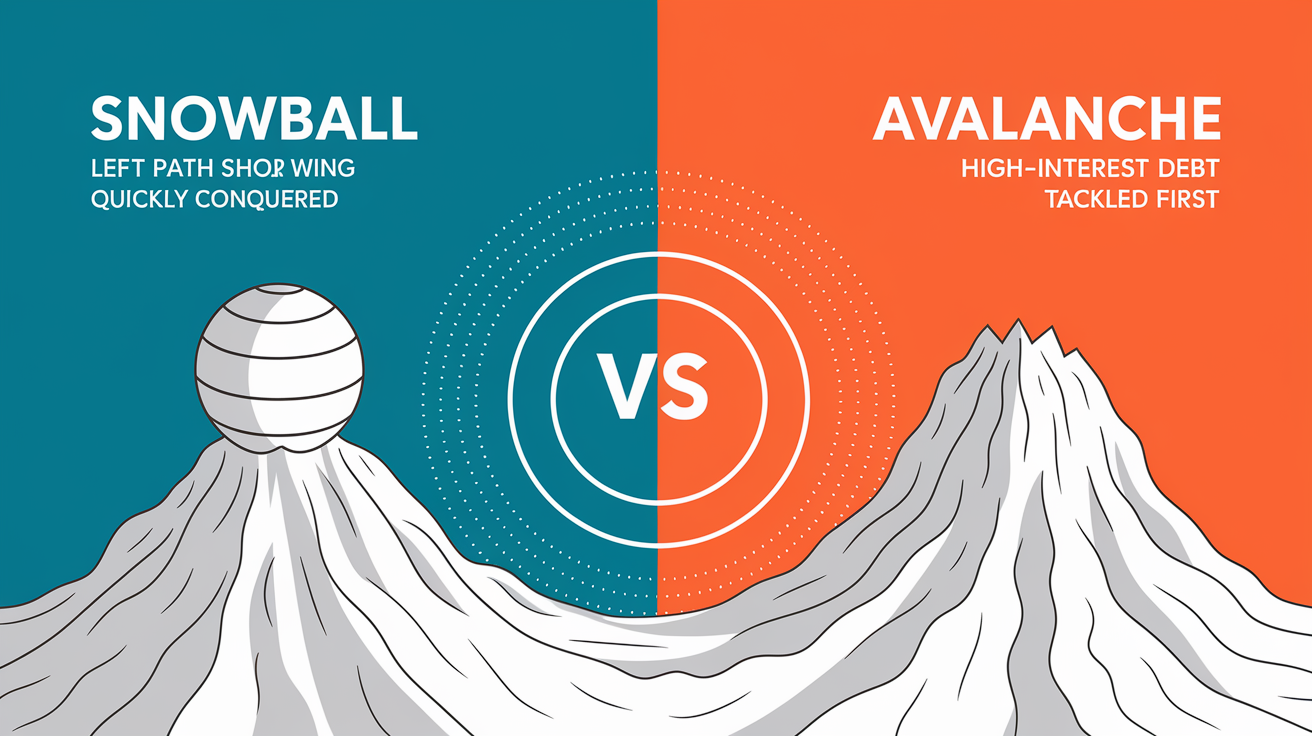
Most debt payoff calculators let you choose how to order your debts for repayment, and the order you pick can change both your timeline and your total interest cost. The two most common strategies are the debt snowball and the debt avalanche. Both approaches require you to make minimum payments on all debts, then funnel any extra money toward one specific debt at a time. The difference is which debt gets that extra attention first.
Debt Snowball
The debt snowball method orders your debts from smallest balance to largest, ignoring interest rates completely. You attack the smallest debt first, pay it off, then roll that payment into the next smallest debt, and so on. The logic is behavioral, not mathematical. Knocking out a small debt quickly delivers a psychological win that builds momentum and keeps you motivated through the longer grind of larger balances. For a lot of people, that early confidence boost is worth the modest interest cost trade off.
Debt Avalanche
The debt avalanche method orders your debts by interest rate, highest to lowest, regardless of balance size. You attack the highest rate debt first, which minimizes the total interest you pay over the entire repayment period. This approach is mathematically optimal because high rate debt costs you the most money per month, so eliminating it first stops the bleeding fastest. The downside is that if your highest rate debt also has a large balance, you might go months or even a year before seeing a debt disappear, which can feel pretty discouraging.
Side by Side Strategy Comparison
| Method | Strength | Ideal For |
|---|---|---|
| Debt Snowball | Delivers quick wins; builds momentum and motivation | People who need visible progress and emotional reinforcement to stay on track |
| Debt Avalanche | Minimizes total interest paid; mathematically optimal | People who prioritize cost efficiency and can sustain motivation without early wins |
| Hybrid / Custom | Balances motivation and cost by targeting mid size, high rate debts first | People who want a blend of psychological reward and interest savings |
| Highest Monthly Payment First | Frees up monthly cash flow quickly; helpful if budget is tight | People who need immediate breathing room in their monthly budget |
| Snowflake (All Extra to One) | Simplifies focus; every windfall or found dollar goes to one target debt | People who receive irregular income or windfalls and want a simple allocation rule |
| No Strategy | Pays extra across all debts simultaneously; feels balanced | Not recommended. Slows payoff and increases total interest compared to focused strategies |
Example Scenarios Showing Real Debt Payoff Calculations

Seeing actual numbers makes the difference between strategies concrete. Consider a single credit card with a $5,000 balance and an 18% APR. If you pay $150 per month, the calculator projects roughly 47 months to payoff (just under four years) and total interest of about $2,050. That means you’ll pay $7,050 total to eliminate a $5,000 debt. Now raise your payment to $200 per month. The payoff drops to approximately 32 months, total interest falls to around $1,400, and you save about $650 in interest while finishing 15 months earlier. That $50 monthly increase buys you more than a year of freedom.
Multiple debt scenarios show even bigger differences. Imagine you owe $3,000 on a credit card at 22% APR, $8,000 on a car loan at 6% APR, and $4,000 on a personal loan at 12% APR. Under the avalanche method you attack the 22% card first, eliminating the highest rate debt quickly and cutting total interest significantly. Under the snowball method you attack the $3,000 card first because it’s got the smallest balance, which delivers a faster first win but costs a bit more in total interest. A calculator lets you model both approaches side by side, showing exactly how much time and money each strategy requires.
Single Debt Example
A $5,000 balance at 12% APR with a $150 monthly payment takes approximately 41 months to pay off, with total interest around $1,150. The same balance at 6% APR with a $400 monthly payment takes about 58 months if you mistakenly enter $400 as the minimum and don’t add extra. But if you bump that $400 payment up by another $100, the timeline shrinks and interest falls considerably. The calculator quantifies the exact trade off between payment size, timeline, and cost.
Multiple Debt Scenario
When you enter three debts into a calculator and select the snowball method, the tool reorders them by balance size, calculates payoff for the smallest first, then adds that freed payment to the next debt’s payment, repeating until all are gone. The avalanche method reorders by APR and applies the same rollover logic. The calculator shows both timelines and both total interest figures, letting you weigh motivation against cost in real dollars.
| Scenario | Balance | APR | Monthly Payment | Payoff Months | Total Interest |
|---|---|---|---|---|---|
| Credit Card A | $5,000 | 18% | $150 | ~47 | ~$2,050 |
| Credit Card A (increased payment) | $5,000 | 18% | $200 | ~32 | ~$1,400 |
| Personal Loan B | $5,000 | 12% | $150 | ~41 | ~$1,150 |
| Auto Loan C | $20,000 | 6% | $400 | ~58 | ~$3,200 |
Limitations and Assumptions of Debt Payoff Calculators

Debt payoff calculators deliver accurate projections only when the inputs stay constant. They assume your interest rate won’t change, you won’t miss a payment, you won’t add new charges to the account, and no fees or penalties will pop up. In reality credit card APRs can jump after a promotional period ends, variable rate loans adjust with market conditions, and late fees or over limit charges can spike your balance unexpectedly. If any of that happens, your actual payoff date and total interest will differ from the calculator’s estimate.
Rounding and compounding frequency also introduce small differences. Some calculators round to the nearest cent at each step. Others carry more precision internally and round only the final output. Some lenders compound interest daily instead of monthly, which bumps the effective rate slightly. These differences rarely move the payoff date by more than a month, but they can shift total interest by a few bucks or tens of dollars depending on the balance size. The calculator is a planning tool, not a legally binding contract. Use it to set goals and test strategies, but verify final payoff amounts directly with your lender before making your last payment.
Common mistakes that tank accuracy:
Entering the APR in the wrong format (18 instead of 0.18, or vice versa)
Leaving out annual fees, late fees, or other charges that bump the effective balance
Rounding the interest rate or payment amount too aggressively, which compounds errors over dozens of months
Failing to account for variable interest rates or promotional period expirations that change the APR mid repayment
Step by Step Guide to Using a Debt Payoff Calculator

Using a debt payoff calculator is straightforward once you gather your current account statements. The workflow takes about 15 minutes if you’ve got one or two debts, and up to 30 minutes if you’re modeling five or more accounts. The payoff is immediate. You walk away with a concrete debt free date, a full payment schedule, and a clear understanding of how much interest you’ll pay under different scenarios. Plenty of people test multiple payment amounts or strategies in a single session to see which plan fits their budget and goals.
Here’s how:
- Collect current statements for every debt you want to model, noting the exact balance, APR, and minimum payment for each
- Open the calculator and enter each debt one at a time, using the exact numbers from your statements
- Choose a repayment strategy (snowball, avalanche, or custom order) if the calculator offers multiple options
- Add any extra monthly payment you can afford above the minimums, or enter a one time lump sum if you’re planning to apply a tax refund or bonus
- Generate the full payment schedule and review the projected debt free date, total interest, and month by month breakdown
- Adjust your inputs to test “what if” scenarios. Raise the extra payment by $50, switch from snowball to avalanche, or add a midyear lump sum, then compare the new results to your baseline plan
Glossary of Debt Payoff Calculator Terms

Understanding the terms in a debt payoff calculator helps you interpret results accurately and avoid input mistakes. Most calculators use the same handful of financial terms, but slight wording variations can cause confusion (especially the difference between APR and interest rate, or between minimum payment and required payment).
Key terms:
Minimum payment: The smallest amount your lender requires each month, often calculated as a percentage of the balance plus accrued interest, or a flat dollar floor, whichever is greater.
Principal: The portion of your payment that reduces the outstanding balance. Doesn’t include interest.
Balance: The total amount you currently owe, not including future interest that hasn’t accrued yet.
APR (Annual Percentage Rate): The yearly interest rate expressed as a percentage. Calculators convert this to a monthly rate by dividing by 12.
Payoff date: The specific month and year when your balance will reach zero if you follow the payment plan exactly.
Amortization: The process of spreading loan payments over time, with each payment split between interest and principal in a way that gradually reduces the balance to zero.
Interest savings: The dollar amount you avoid paying when you increase your payment size, make extra payments, or pay off the debt early compared to a baseline plan.
Final Words
You ran the numbers, checked timelines, and compared snowball and avalanche results to see real payoff dates and interest costs. That hands-on view is the whole point: clarity over guesswork.
If you’re still asking what is a debt payoff calculator, it’s the tool that converts balances, APRs, and extra payments into a clear payoff date, total interest, and monthly plan you can act on. Use it to test strategies, tweak payments, and pick the plan that fits your life.
Small steps add up. You’ve got this.
FAQ
Q: What is a debt payoff calculator and what does it do?
A: A debt payoff calculator estimates your debt-free date, total interest cost, and monthly payment schedule using balances, APRs, minimums, and extra payments to show timeline and savings.
Q: How does a debt payoff calculator work?
A: A debt payoff calculator converts APR to a monthly rate, computes interest accrual, splits payments between interest and principal, updates balances monthly, then projects the payoff date using amortization formulas.
Q: What information do I need to enter into a debt payoff calculator?
A: You need each debt’s balance, APR, current minimum payment, any extra monthly amount or lump sum, payment frequency, and preferred payoff order for accurate results.
Q: What results will a debt payoff calculator show me?
A: A debt payoff calculator shows months or exact payoff date, total interest paid, a month-by-month amortization schedule, interest-savings comparisons, and cash-flow freed when debts finish.
Q: How do extra payments affect my payoff timeline and interest?
A: Extra payments shorten your payoff timeline and lower total interest by reducing principal faster; calculators show how different extra amounts or lump sums change months and interest saved.
Q: Can a payoff calculator compare snowball and avalanche methods?
A: A payoff calculator can compare snowball and avalanche by reordering payments: snowball targets smallest balances for motivation, avalanche targets highest APRs for fastest interest savings and shorter payoff.
Q: Which method should I choose: snowball or avalanche?
A: Choose snowball for motivation if you need quick wins; choose avalanche if you want the lowest total interest. Use a calculator to see trade-offs for your balances and APRs.
Q: How accurate are debt payoff calculators and what assumptions do they make?
A: Debt payoff calculators assume fixed APRs, steady monthly payments, no new borrowing, and no fees; accuracy falls when rates change, payments vary, or fees and penalties apply.
Q: How do I use a debt payoff calculator to set goals?
A: Use a debt payoff calculator to set realistic goals by entering accurate debts, testing extra payments or lump sums, choosing a strategy, and adjusting until the payoff date fits your budget.
Q: What is an amortization snapshot and how do I read it?
A: An amortization snapshot shows month-by-month principal and interest reductions; read it to see how each payment lowers principal, how interest falls over time, and when the balance reaches zero.
Q: What common mistakes should I avoid when using a payoff calculator?
A: Avoid entering wrong APRs, forgetting fees or minimums, using inconsistent payment frequency, neglecting variable rates, and assuming no future borrowing; these skew payoff and interest estimates.
Q: What do terms like APR, principal, and payoff date mean?
A: APR is the annual rate including fees; principal is the remaining loan balance; payoff date is the projected month you’ll finish paying off the debt.